Category: Fiber Internet
-
![[2026] Race Communications vs AT&T Fiber: Which Fiber Internet Provider Should You Choose?](https://blog.race.com/wp-content/uploads/2025/08/Race-Communications-vs-ATT-Fiber.webp)
[2026] Race Communications vs AT&T Fiber: Which Fiber Internet Provider Should You Choose?
Key takeaways Same on both: 100% fiber to your home, upload as fast as download, no data caps, no annual contracts, Wi-Fi equipment included. Top speed: Race offers plans up to 10 Gig. AT&T Fiber tops out at 5 Gig, which is available in limited areas. Pricing: Race’s plan price doesn’t depend on autopay or…
-
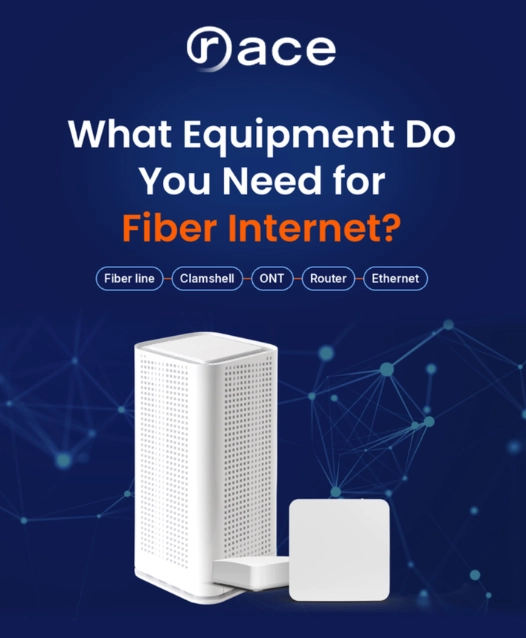
What Equipment Do You Need for Fiber Internet?
Fiber internet needs an ONT (not a modem), a router, Ethernet cables, and a clamshell. See what Race provides and what you might need to buy.
-
![Best Internet Providers in California [2026] | Speeds, Prices & Features](https://blog.race.com/wp-content/uploads/2026/10/Top-Internet-Providers-in-California.png)
Best Internet Providers in California [2026] | Speeds, Prices & Features
Key takeaways No single provider covers all of California. Most serve specific cities, so start by checking which providers reach your address. Fiber leads on speed. Six of the eight providers compared use fiber, and Race Communications and Sonic offer plans up to 10 Gig. Listed 1 Gig prices range from $39.95 to $80 a…
-

Best Internet Providers in Tulare, CA (2026)
Key takeaways Lowest listed price: Race Communications, at every speed the three providers share. Its 300 Mbps plan is $29.95 a month plus a required $9.95 Tech Assure fee; Xfinity starts at $55 and AT&T Fiber at $60, before discounts. Fastest plans: Race Communications goes up to 10 Gig, AT&T Fiber to 5 Gig and…
-
Internet Providers in Marysville, CA: Plans, Prices and How They Compare
Quick answer Marysville residents can get home internet from AT&T Fiber, Race, T-Mobile Home Internet and Xfinity, and some addresses also have satellite or local wireless options. AT&T Fiber and Race deliver fiber, Xfinity delivers cable, and T-Mobile delivers 5G wireless. Monthly prices run from about $35 to $125, depending on speed. Choosing an internet…
-
Internet Providers in Yuba City, CA: Compare Plans & Pricing
⚡ Key Takeaways 📡 Six providers serve Yuba City: Race Communications and AT&T Fiber (fiber optic), Xfinity (cable), plus T-Mobile, Verizon, and unWired (fixed wireless). 💸 Lowest price: Race Communications, starting at $29.95 a month. 🚀 Fastest speed: Race Communications’ 10 Gbps plan, the quickest in the city. 🔄 Only the two fiber optic providers,…
-

How to Fix “Connected Without Internet” (On WiFi, Router, Windows, Mac)
Wi-Fi Connected but No Internet? Here Is How to Fix It
-

What is a Guest WiFi Network (+ Why Do You Need It)
Guest network: key takeaways A guest WiFi network is a separate network on your same router. It gives visitors and devices internet access, kept apart from your main network and its password. It is mostly about two things: keeping the devices that run your daily life separate from the ones that just need internet, and…
-

Do You Need a Mesh Router in 2026? An Honest Guide for Fiber Homes
Key takeaways You likely need mesh Wi-Fi if your home is large, has more than one floor, or has walls that block signal and leave dead spots. A single strong router is usually enough in a smaller, open home. On a fast fiber plan, weak Wi-Fi in one room is a coverage problem, not a…
-

What is Frequency in Wi-Fi? 2.4 GHz & 5 GHz Bands, Explained
2.4 GHz vs. 5 GHz WiFi: Key Takeaways 2.4 GHz goes farther, 5 GHz goes faster. 2.4 GHz reaches across more of your home and handles walls better, but maxes out near 100 Mbps. 5 GHz runs up to about 1 Gbps over a shorter range. Put the devices you use most on 5 GHz.…