
Best type of internet: key takeaways
- Fiber internet is the best type of internet for most households today, with symmetrical speeds up to 10 Gbps and the most reliable connection available.
- Cable internet is the most common alternative, offering fast downloads but slower uploads and shared bandwidth that dips during peak hours.
- 5G home internet and fixed wireless are growing fast and can match cable speeds where wired options aren’t available.
- DSL, satellite, and dial-up still exist but trail far behind on speed, reliability, or both.
- If fiber is available at your address, it’s almost always the best home internet option for streaming, gaming, remote work, and households that keep growing.
The internet powers nearly everything we do at home. Streaming, working, gaming, video calls, smart home devices … It all runs on your home internet connection.
But not every internet type delivers the same experience. Some are fast and future-ready. Others are slow, expensive, or only available in certain areas.
So what’s the best type of internet for you? It depends on where you live, how you use the web, and what’s actually available at your address.
Walk through every common internet type, ranked from best to most outdated. Along the way, you’ll learn what each one does well, where it falls short, and how to pick the best home internet service for your household.
What is broadband internet?
Before we get into specific types, let’s answer a question that comes up a lot: what is broadband internet, anyway?
Broadband simply means high-speed internet that’s “always on.” You don’t dial in. You don’t wait to connect. The FCC currently defines broadband as any connection that delivers at least 100 Mbps download and 20 Mbps upload speeds. Fiber, cable, DSL, satellite, and fixed wireless can all qualify as broadband, but their actual real-world performance varies a lot.
Now let’s break down each one, starting with the best.
1. Fiber internet: the best type of internet overall
Top speed: 300 Mbps to 10 Gbps
Best for: Heavy streaming, gaming, remote work, large file uploads, smart homes
Fiber is the gold standard for home internet today. It sends data as pulses of light through thin glass strands, which is why it moves information at incredible speeds. Most fiber plans also offer symmetrical speeds, meaning your uploads are just as fast as your downloads. That’s a huge advantage for video calls, livestreaming, cloud backups, and online gaming.
Fiber is also the most reliable type of internet you can get. Glass cables don’t lose signal over distance the way copper wires do. They’re also less affected by weather.
The catch is availability. Fiber requires dedicated infrastructure, so it’s not yet everywhere.
Did you know?
Fiber is the only internet type considered truly “future-proof.” Even as your household adds more devices and streaming services, fiber handles the load without slowing down.
2. Cable internet
Top speed: 25 Mbps to 1 Gbps
Best for: Streaming, gaming, video calls, multi-device households
Cable internet runs over the same coaxial lines that deliver cable TV. Setup is usually quick if your home already has those lines. Download speeds are solid, and cable is widely available in most U.S. cities and suburbs.
There’s one big drawback though: asymmetrical speeds. Your downloads might fly, but uploads crawl. That makes cable a tough fit for livestreamers, content creators, or anyone on a lot of video calls.
Cable connections are also shared with nearby homes, so speeds often dip during peak hours when everyone’s online at once.
3. 5G home internet and fixed wireless
Top speed: 25 Mbps to 1 Gbps (varies by location)
Best for: Areas without strong wired options but with good cellular coverage
5G home internet uses cellular networks to deliver internet to your home. A small receiver picks up the signal from a nearby tower. Fixed wireless works similarly but uses older wireless technology. When the signal is strong, these can rival cable speeds.
The catch is consistency. Weather, buildings, walls, and even trees can weaken the signal. Network congestion can slow things down too. If you have a strong signal and no wired alternatives, 5G home internet is a real step up from DSL or satellite.
4. DSL internet
Top speed: 5 Mbps to 100 Mbps
Best for: Light browsing, email, basic streaming in areas without faster options
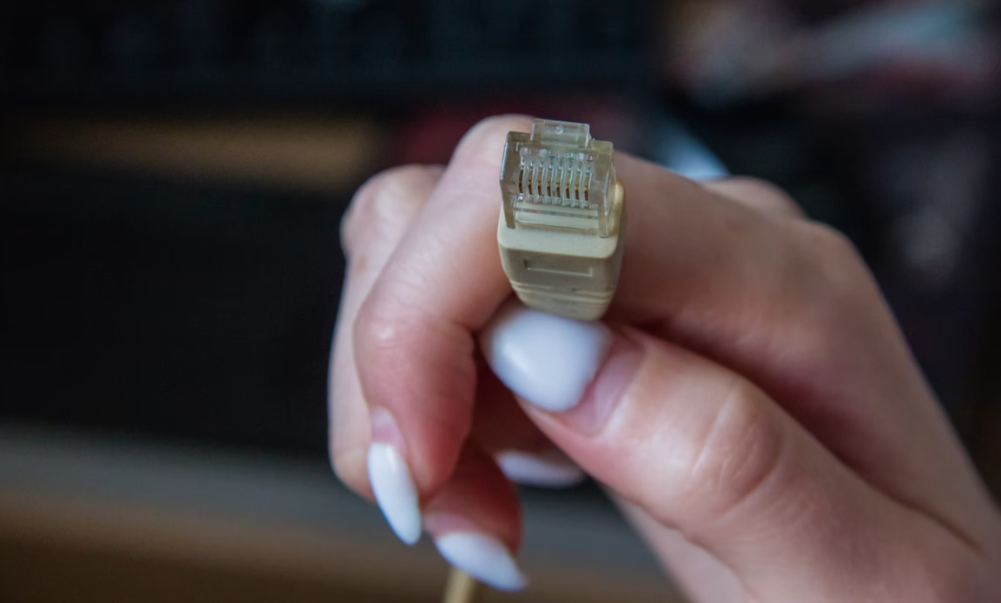
DSL was the broadband upgrade everyone wanted in the early 2000s. It runs over your phone line on a different frequency than voice calls.
DSL speeds depend on how far you live from your provider’s central office. The closer you are, the faster it runs. Even at its best, DSL caps out well below cable or fiber. If DSL is your only wired option, it’ll still cover basic tasks.
5. Satellite internet
Top speed: 12 Mbps to 250 Mbps (higher with newer low-Earth orbit services) Best for: Rural or remote areas with no other connection options
Satellite sends your data up to a satellite in space and back to a dish on your home. The big advantage is that it’s available almost anywhere. The big disadvantage is latency: the lag caused by the signal’s trip into space and back.
Traditional satellite services struggle with video calls and online gaming because of lag. Newer low-Earth orbit services like Starlink have improved speeds and lowered latency significantly. Even so, weather can still mess with performance. Satellite is best thought of as a lifeline for places without cable, fiber, or DSL.
6. Dial-up internet
Top speed: 56 Kbps
Best for: Almost nothing in 2026
Dial-up still technically exists, but barely. It connects through a phone line, and you can’t use the phone and internet at the same time. Pages load line by line. Video streaming? Forget it.
Only a tiny fraction of U.S. households still rely on dial-up as their only connection. If it’s the only thing available at your address, look into satellite or fixed wireless instead. For most people, dial-up belongs in the history books.
Types of internet at a glance
Here’s a side-by-side comparison of the most common internet types, so you can quickly see how they stack up on speed, availability, and reliability.
| Internet Type | Top Speed | Symmetrical Speeds | Reliability | Best For |
|---|---|---|---|---|
| Fiber | Up to 10 Gbps | ✓ | Excellent | Streaming, gaming, remote work, smart homes |
| Cable | Up to 1 Gbps | ✗ | Good | Streaming, video calls, multi-device homes |
| 5G Home Internet | Up to 1 Gbps | ✗ | Varies by signal | Areas with strong cellular but no wired options |
| DSL | Up to 100 Mbps | ✗ | Fair | Light browsing, email, basic streaming |
| Satellite | Up to 250 Mbps | ✗ | Weather-dependent | Rural and remote areas with no wired access |
| Dial-Up | 0.056 Mbps | ✗ | Very limited | Essentially obsolete |
Fiber or cable internet: which is better?
This is one of the most common comparisons when people weigh broadband internet vs. fiber. The short answer: yes, the speed difference really matters, especially for uploads.
Where fiber wins:
- Symmetrical upload and download speeds
- Less interference and downtime
- Higher peak speeds (up to 10 Gbps)
- More consistent during busy hours
Where cable holds its own:
- More widely available
- Solid download speeds for casual use
- Sometimes lower entry-level pricing
If you can get fiber, it’s almost always the better long-term choice. Cable works fine for casual users, but it shows its limits fast as households add devices and streaming services.
How to choose the best home internet service for you
The right internet type depends on a few key things:
Plan for the future. Households add more connected devices every year. Fiber handles growth better than any other internet type.
Check availability first. Enter your address on provider sites to see what’s actually offered. Fiber is the best bet if it’s in your area.
Match your plan to your usage. Heavy gaming, streaming, or remote work? Lean toward fiber or top-tier cable. Light use? Lower-tier cable or even DSL can work.
Pay attention to uploads. If you share large files, livestream, or hop on a lot of video calls, you want symmetrical speeds. Fiber delivers this.
Read the fine print. Compare pricing, contract length, data caps, and equipment fees. Some “low” prices come with surprise charges.
Picking the best type of home internet depends on what’s available, how you use the internet, and your budget.
How to identify your current internet connection
Not sure what type of internet you already have? Here’s a quick guide:
- Small phone-style plug: DSL internet
- Thick round coaxial cable: Cable internet
- Slim fiber cable or small ONT box on the wall: Fiber internet
- Dish on your roof: Satellite internet
- Antenna or 5G receiver in a window: Fixed wireless or 5G home internet
You can also run a quick speed test. If your upload and download speeds are nearly identical, you probably have fiber. If your downloads are much faster than your uploads, you’re likely on cable.
The best type of internet, powered by the right provider
Choosing the best type of internet is only half the puzzle. The provider you choose matters just as much. Different types of internet providers deliver wildly different experiences, even when they’re using the same technology underneath. Customer service, transparency, billing practices, and local presence can all make or break your day-to-day experience.
National providers often feel impersonal and stretched thin. Smaller, community-rooted providers tend to offer more attentive service and stronger local ties.
That’s where Race Communications comes in. We’re a California-based fiber internet provider built around local service and a community-first mindset. We bring high-speed fiber to communities across California, including many that were left behind during earlier waves of broadband expansion.
Our plans range from Internet 300 all the way up to 10 Gigabit Internet, with symmetrical speeds, no data caps, and real people on the other end when you need support.
See if fiber is available at your address
Race Communications delivers symmetrical fiber speeds up to 10 Gbps with no data caps, no hidden fees, and real local support. Check availability in your area today.
Check AvailabilityFrequently Asked Questions
What is the best type of internet?
Fiber internet is the best type of internet for most households. It offers the fastest speeds, the most reliable connection, and symmetrical uploads and downloads. If fiber is available at your address, it’s almost always the right choice.
What is broadband internet?
Broadband is high-speed internet that stays connected without needing to dial in. The FCC defines broadband as any connection delivering at least 100 Mbps download and 20 Mbps upload. Fiber, cable, DSL, satellite, and fixed wireless can all qualify.
Is fiber internet better than cable?
Yes, in almost every way. Fiber offers faster peak speeds, symmetrical upload and download speeds, less interference, and more consistent performance during busy hours. Cable still works well for casual use but shows its limits as households grow.
Is fiber internet faster than DSL?
Much faster. DSL tops out around 100 Mbps and slows down the farther you are from the provider’s central office. Fiber starts where DSL ends and can reach up to 10 Gbps.
How do I know what type of internet I have at home?
Check the cable plugged into your modem. A small phone-style plug means DSL. A thick coaxial cable means cable internet. A slim fiber cable or small ONT box means fiber. A dish on your roof means satellite. An antenna or 5G receiver means fixed wireless or 5G home internet.
Is 5G home internet better than cable?
It depends on your signal. With strong 5G coverage, speeds can rival cable. But 5G is more affected by weather, walls, and network congestion. Cable tends to be more consistent, while fiber outperforms both.
What internet type is best for working from home?
Fiber is the best choice for remote work. The symmetrical upload speeds matter a lot for video calls, file sharing, and cloud-based tools. Cable and 5G can also work, but they’re more likely to slow down or drop during peak hours.
Does dial-up internet still exist?
Technically yes, but it’s nearly extinct. Dial-up tops out at 56 Kbps and can’t handle modern websites, let alone streaming or video calls. If it’s the only option at your address, look into satellite or fixed wireless instead.