The Quick Answer
To get wired internet in another room, you have three main options: run an ethernet cable from your router for the best speed and reliability, use a powerline adapter that sends the signal over your home’s electrical wiring, or use a MoCA adapter that uses your existing coax cables. If the room already has an ethernet wall jack, you may only need to plug in a cable.
- Best performance: Run a Cat6 ethernet cable from your router to the room.
- No new cable needed: Use a powerline adapter (electrical wiring) or MoCA adapter (coax).
- Already wired: Plug a cable into the room’s existing ethernet wall jack.
- Many devices in one room: Add a network switch to expand your ports.
To get wired internet in another room, you have three main options: run an ethernet cable from your router to the room, use a powerline adapter that sends the signal over your home’s electrical wiring, or use a MoCA adapter that uses your existing coax cables.
Running ethernet cable gives the best speed and reliability. Powerline and MoCA adapters are easier to install when you can’t run a new cable. If your home already has ethernet wall jacks, you may only need to plug in a cable and connect your device.
Wi-Fi is convenient, but a wired connection delivers faster, more stable, lower-latency performance for devices like gaming consoles, smart TVs, desktops, and work-from-home setups. Below is how to extend wired internet to any room, whether your router is nearby or on the other side of the house.
How do I get ethernet in another room?
The right method depends on what your home already has and how much work you want to do. Here’s the quick decision path:
If the room already has an ethernet wall jack, plug a cable from the jack into your device. Many homes built or remodeled in the last couple of decades have these. Look for a wall plate with a port that resembles a wider phone jack.
If there’s no jack but you can run a cable, ethernet cable gives you the strongest connection. You can run it along baseboards, through walls, or between floors.
If running a cable isn’t practical, use a powerline or MoCA adapter to carry the signal over wiring that’s already in your walls.
How do I find my router and check what I have?
Your modem brings the internet into your home, and your router shares that connection to your devices over Wi-Fi and through ethernet ports on the back. Both are usually in a central spot like a living room or office, near where your internet line enters the house.
Before you start, check three things: where your router is, how far the room is from it, and whether that room already has an ethernet jack. Knowing the distance tells you how long a cable you need or whether an adapter is the better call.
Related Reading
How do I run an ethernet cable through the house?
Running cable is the most reliable way to get wired internet in another room. The basic process:
- Choose the right cable. Cat6 is the best general choice for most homes today and supports gigabit and multi-gig speeds with room to spare. Cat5e still handles gigabit and is fine for shorter runs. Cat6a is worth it for long runs or if you want to future-proof.
- Plan the path. Decide whether the cable will run along baseboards, through an attic or crawlspace, or inside the walls. The shortest safe path is usually best, but the cleanest-looking path often runs through unfinished spaces like an attic, basement, or closet.
- Run and secure the cable. Keep ethernet away from electrical lines to avoid interference, avoid sharp bends that can damage the wire, and secure it with cable clips or in raceways so it stays put and looks tidy.
- Finish the ends. For a clean look, terminate the cable at wall plates with keystone jacks in each room. For a simpler job, run a single long cable directly to your device.
If your run is long, goes between floors, or means fishing cable inside finished walls, this is a good point to consider a professional installer who can do it safely and to code.
What if I can’t run a cable? Powerline and MoCA adapters
When running new ethernet isn’t realistic, two adapter types use wiring that’s already in your home.
Powerline adapters send your internet signal over your electrical wiring. You plug one adapter in near your router and connect it with a short cable, then plug a second adapter into an outlet in the target room and connect your device. Setup takes minutes. Performance depends on the age and layout of your home’s wiring, so it can vary.
MoCA adapters use the coaxial cable already running to your TV outlets. If the room you want has a coax jack, MoCA often delivers speeds closer to a true ethernet run than powerline does. You’ll need an adapter at the router end and one in the target room.
Which option should I choose?
Here’s how the three methods compare so you can match one to your situation:
| Method | Best for | Speed & reliability | Install effort |
|---|---|---|---|
| Ethernet cable | Anyone who can run a cable and wants the best connection | Highest. Full plan speed, lowest latency | Moderate. Higher if running inside walls |
| MoCA adapter | Rooms with an existing coax (TV) jack | High. Often close to a wired run | Low. Plug into coax outlets |
| Powerline adapter | Rooms with no coax jack where running cable isn’t practical | Varies with the home’s electrical wiring | Low. Plug into outlets |
How do I add more ethernet ports? Using a network switch
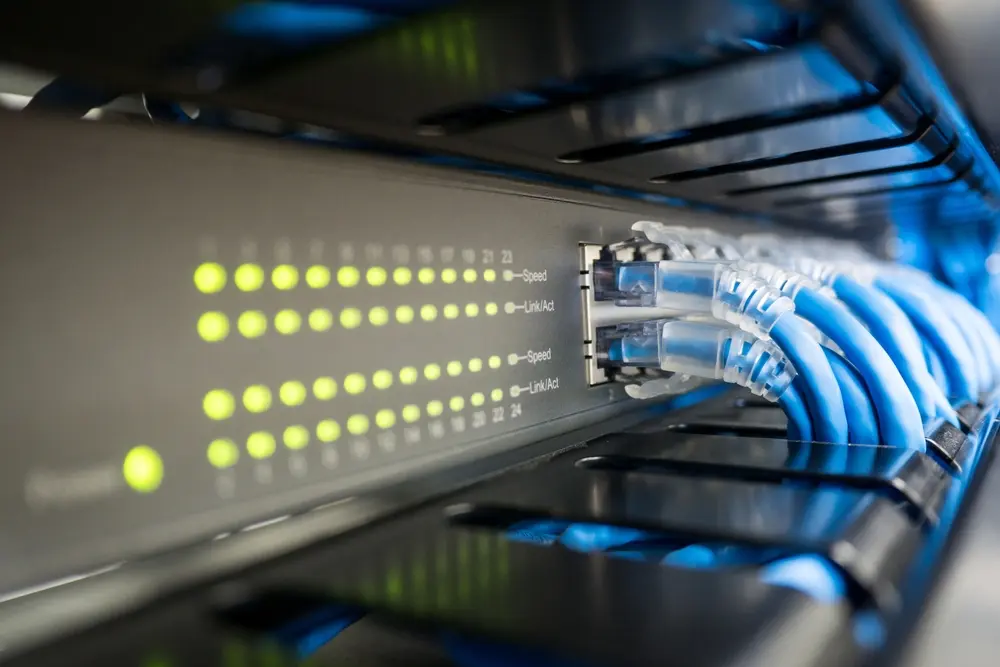
A router only has so many ethernet ports. If you need to connect several wired devices in one room, a network switch expands the number of available ports.
Connect the switch to one of your router’s ethernet ports, and you now have several more ports to plug devices into. Think of it like a power strip for your network. Match the switch’s speed to your internet plan (a gigabit switch for gigabit service) so it doesn’t become a bottleneck.
How do I connect a device with ethernet?
For most devices, connecting is plug-and-play:
- Plug one end of the ethernet cable into your router, switch, or wall jack, and the other end into your device.
- Your router automatically assigns the device an address, and it should be online within seconds.
- Confirm the connection by opening a website on a computer, or checking the network settings on a TV or console.
If it doesn’t connect, reseat both ends of the cable, restart the device, and try a different cable to rule out a damaged one.
How do I get the best performance from a wired connection?
A wired connection is already faster and more stable than Wi-Fi, but a few things help you get the most out of it:
- Use Cat6 cable for new runs so your wiring isn’t the limiting factor.
- Match your switch and any adapters to your plan speed. A non-gigabit switch on a gigabit plan caps your speed.
- Use Quality of Service (QoS) settings in your router to prioritize gaming, video calls, or streaming over background traffic.
- Keep ethernet cables away from power cables and avoid tight bends, both of which can degrade performance.
When should I call a professional to get wired internet in another room?
A lot of this is DIY-friendly, but professional installation makes sense if your home is large or multi-story, if cable needs to run inside finished walls or between floors, or if you want a clean, permanent setup with wall jacks throughout.
A professional handles the fishing of cable, follows local code, and saves you the trial and error.
Final thoughts
Getting wired internet in another room comes down to three paths: run ethernet cable for the best performance, or use a powerline or MoCA adapter when running cable isn’t practical. Check for existing wall jacks first, match your cable and equipment to your plan speed, and call a pro for the complex runs. A solid wired connection starts with a fast, reliable internet plan feeding it.
If you’re looking for fiber internet built to power a fully wired home, check availability at Race Communications.
Frequently Asked Questions
How do I get ethernet in my room?
First check whether the room already has an ethernet wall jack. If it does, plug a cable from the jack into your device. If it doesn’t, run an ethernet cable from your router, or use a powerline or MoCA adapter to carry the connection over your home’s existing electrical or coax wiring.
What’s the best way to run an ethernet cable through the house?
Use Cat6 cable and plan the shortest safe path, often through an attic, basement, or closet. Keep the cable away from electrical lines, avoid sharp bends, and secure it with clips or raceways. For a clean finish, terminate the cable at wall jacks in each room.
How do I get ethernet when the router is far away?
For a distant room, a MoCA adapter using existing coax cable usually beats a long Wi-Fi hop, and a powerline adapter is a simpler alternative. If you want the strongest connection, a long ethernet run still delivers the best speed and reliability over distance.
Which ethernet cable should I use, Cat5e, Cat6, or Cat6a?
Cat6 is the best general choice for most homes and supports gigabit and multi-gig speeds. Cat5e still handles gigabit and works for shorter runs. Choose Cat6a for long runs or to future-proof your wiring.
How do I add more ethernet ports to a room?
Use a network switch. Connect it to one of your router’s ethernet ports and it expands the number of available ports, letting you plug in several wired devices. Match the switch speed to your internet plan so it doesn’t slow you down.
Is a wired connection really better than Wi-Fi?
For stationary devices, yes. A wired ethernet connection delivers faster, more consistent speeds and lower latency than Wi-Fi, which makes it ideal for gaming consoles, smart TVs, desktops, and working from home.