
Guest network: key takeaways
- A guest WiFi network is a separate network on your same router. It gives visitors and devices internet access, kept apart from your main network and its password.
- It is mostly about two things: keeping the devices that run your daily life separate from the ones that just need internet, and having a password you can hand out and change without touching your own devices.
- The bigger security win is smart home devices. They are a common weak point and they live on your network for years, so a guest network keeps them in their own lane.
- It is not slower. It runs on the same equipment and the same internet plan you already pay for.
- Guest networks protect you inside your home. The connection coming into your home matters too, and that is where fiber has a built in edge.
When someone visits you and asks for your WiFi password, you probably just read it off the router or type it into their phone. It feels harmless. But handing over your main passwords is the networking equivalent of handing over a key to your house – especially if you don’t update your password regularly.
A guest WiFi network is the fix. It gives your guests and their devices access to the internet without giving them access to everything else on your network.
Learn what it is, who is it for, and why you should set your guest WiFi network today.
Interested in fast fiber internet?
A great guest network starts with a great connection. See if Race 100% fiber to the home is available at your address.
Check availabilityWhat is a guest WiFi network?
A guest WiFi network is a second, separate network that runs on the same router you already own. It shows up as its own network name (or SSID) with its own password. Anyone who connects to it can reach the internet, but they can’t reach the devices on your main network, like your laptop, phone, or printer.
You don’t need a second router or a separate account. The capability is already built into most modern routers, including the one provided by Race Communications.
Who is a guest network for?
1. Your guests.
Friends, family, the babysitter, the contractor working in the garage. This way, they can go online, but don’t have access to other devices on your network.
2. Your smart home devices.
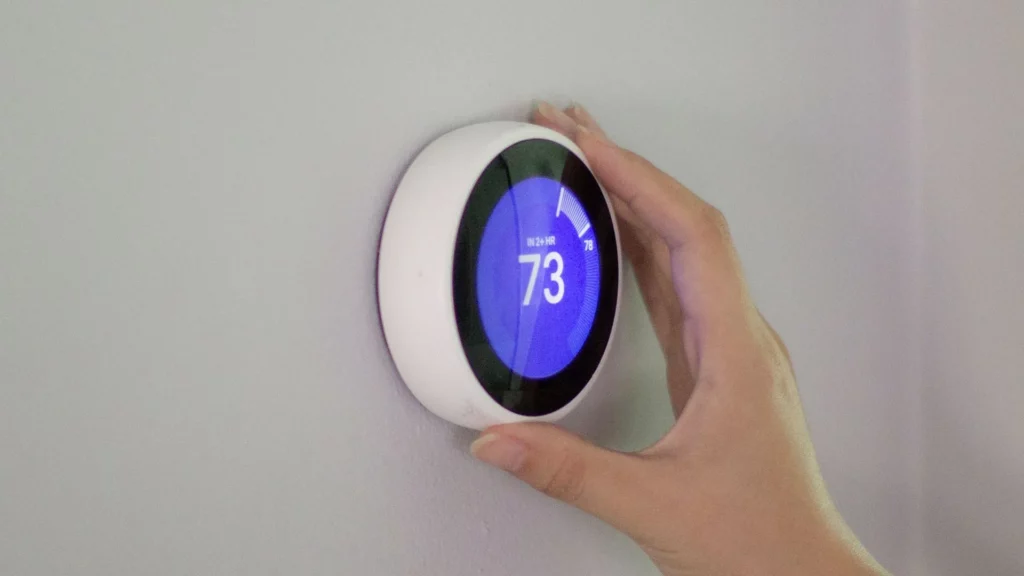
Smart TVs, video doorbells, thermostats, plugs, cameras, speakers, and the rest of your IoT devices need internet too.
Many of them are not built with strong security and not regularly updated. If one of them is compromised, you don’t want it connected to the same network as the laptop where you work or do your banking. Putting smart devices on a guest network keeps them contained there.
What is the danger of not using guest networks?
You visit a friend, join their WiFi, check your phone, go home. Where is the harm? For one trusted person on an up-to-date phone, the risk is low. Guests are not the main villain here. So, why should you use a guest WiFi network if you’ve gone so long in life without ever hearing about it?
If any device on your network is ever compromised, whether that’s a guest’s phone or, far more likely, a cheap smart gadget without security patches, it has access to everything else on that network.
The second reason to use a guest network is more practical. Once you give out your main password, you can’t take it back. It’s saved on that person’s phone and it can be passed along. To secure your network, you would need to change your main password and re-enter it on every device.
A guest password you can hand out freely and change on a whim, and your own devices will never notice.
Can you control smart devices on a guest network?
If smart home devices are isolated, can you still run your smart home from your phone? Mostly, yes, and it depends on how a device is controlled.
Cloud-controlled, set-and-forget devices can go on the guest network, and the ones you actively cast to can stay on the main one.
Most smart cameras, thermostats, and doorbells are controlled through an app that talks to the servers over the internet. Those work the same on a guest network because you reach them through the internet, and not your local network.
The devices to keep on your main network are the ones you control locally, like your TV or printer.
Will a guest network be slower?
No. A guest WiFi network is not a lower tier service or a throttled version of your main WiFi network. It runs on the same router, so it has the same bandwidth.
The only time it runs slower is if you deliberately set a bandwidth limit on it, which some routers let you do on purpose. You can also prioritize certain type of traffic over another, such as gaming, streaming, or video calling.
How to set up a guest WiFi network
Every router is a little different, but the general steps look like this:
- Sign in to your router or its app.
- Find the guest network (or guest WiFi) settings.
- Give the network a name (SSID).
- Set a password and choose WPA2 or WPA3 encryption.
- Make sure guest isolation is turned on, so guests cannot reach your main devices.
- Save, then share the name and password with your guests.
If you are a Race Communications customer, it is even easier in the Race CommandIQ app:
- Go to the Network tab.
- Tap Add Network.
- Name your guest WiFi and create a password (recommended).
- Choose whether it is temorary, with set start and end times, or always available.
- Share it in seconds by having your guest scan the QR code from the app.
Smart device won’t connect? Try a 2.4 GHz guest network
Beyond security, a guest network solves a very specific problem people often run into with smart devices. Sometimes, they fail to connect over and over, even though your WiFi is otherwise working fine.
The cause usually comes down to WiFi bands. Your router broadcasts on two of them:
- 2.4 GHz: slower but reaches further
- 5 GHz: faster but has shorter range
Your everyday devices, like phones, laptops, and TVs, are built for both and tend to lean on the faster 5 GHz band when they’re close enough. A lot of small smart home gadgets are built for 2.4 GHz only, which gives them range. They can also drop off sporadically, just because they’re not able to connect to 5 GHz.
The solution is to put them on a separate, 2.4 GHz guest network. If you ever tried troubleshooting a smart device that won’t connect to your main WiFi, this trick alone can be worth it.
Network security starts with the type of internet
A guest network decides who and what can reach your personal devices. But what’s even more important is the type of internet you have.
Fiber optics carry your data as pulses of light instead of electrical signals. The latter can leak, leaving your network vulnerable to “eavesdropping”.
Race Communications provides 100% fiber internet to the home. Paired with the Race CommandIQ app, where you can set up your guest network, your home network is in safe hands.
Lock down your home network with fiber
A great guest network starts with a great connection. See if Race 100% fiber to the home is available at your address.
Check availabilityQuestions? Call us at 877.722.3833.
It is a separete network on your existing router that gives visitors and devices internet access, kept apart from your main network, your main password, and your personal devices and files.
No. It uses the same router and the same internet connection, so the same speed is available.
Most modern routers include a guest network options, including the equipment that Race provides. Older or very basic router may not have it.
Yes, and it is often the best place for them. Devices you control through an app over the internet, like cameras, plugs, and doorbells, still work normally from your phone.
Open the Race CommandIQ app, go to the Network tab, tap Add Network, name it, and set a password. You can share it with a QR code.