Author: anja.grcar
-
Race Communications vs. Spectrum Internet in Lancaster, CA
Key takeaways Price: Race’s Gigabit Internet is $39.95/mo + $9.95 Tech Assure fee. Spectrum’s 1 Gig is $60/mo. Upload speed: Race’s uploads match its downloads (1,000 Mbps on the gig plan). Spectrum’s 1 Gig plan uploads at 35 Mbps. Where Race wins: Race runs fiber all the way into your home. Spectrum uses fiber to…
-
![Best Internet Providers in California [2026] | Speeds, Prices & Features](https://blog.race.com/wp-content/uploads/2026/10/Top-Internet-Providers-in-California.png)
Best Internet Providers in California [2026] | Speeds, Prices & Features
Key takeaways No single provider covers all of California. Most serve specific cities, so start by checking which providers reach your address. Fiber leads on speed. Six of the eight providers compared use fiber, and Race Communications and Sonic offer plans up to 10 Gig. Listed 1 Gig prices range from $39.95 to $80 a…
-
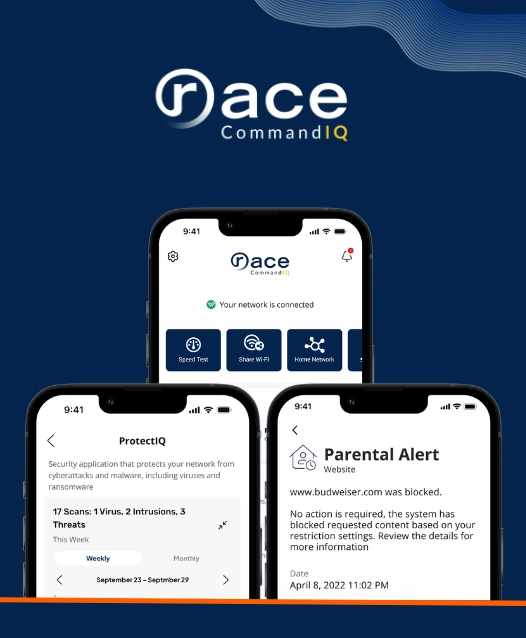
7 Reasons Why Parents Need Race CommandIQ
In short Key Takeaways ✓Kids are online a lot. In 2025, 40% of U.S. teens told Pew Research Center they are online almost constantly. ✓Time is not the only question. Look at what screens take the place of, like sleep, play, homework and family time. ✓Race CommandIQ® gives you a profile for each person, so…
-

Best Internet Providers in Tulare, CA (2026)
Key takeaways Lowest listed price: Race Communications, at every speed the three providers share. Its 300 Mbps plan is $29.95 a month plus a required $9.95 Tech Assure fee; Xfinity starts at $55 and AT&T Fiber at $60, before discounts. Fastest plans: Race Communications goes up to 10 Gig, AT&T Fiber to 5 Gig and…
-

20 Best Halloween Movies Streaming in 2026 (From Fresh Frights to Timeless Classics)
🎃 Key Takeaways 🧛20 picks across 10 platforms: Netflix, HBO Max, Hulu, Prime Video, Peacock, Paramount+, Shudder, Disney+, Tubi, and Pluto TV all have something for your movie night. 👻Fresh frights are here: Evil Dead Burn (HBO Max), V/H/S/Mixtape (Shudder, Oct 9), and Hokum (Hulu, Oct 10) lead this year’s new releases. 🔪Ghostface is back:…
-
Internet Providers in Marysville, CA: Plans, Prices and How They Compare
Quick answer Marysville residents can get home internet from AT&T Fiber, Race, T-Mobile Home Internet and Xfinity, and some addresses also have satellite or local wireless options. AT&T Fiber and Race deliver fiber, Xfinity delivers cable, and T-Mobile delivers 5G wireless. Monthly prices run from about $35 to $125, depending on speed. Choosing an internet…
-
Internet Providers in Yuba City, CA: Compare Plans & Pricing
⚡ Key Takeaways 📡 Six providers serve Yuba City: Race Communications and AT&T Fiber (fiber optic), Xfinity (cable), plus T-Mobile, Verizon, and unWired (fixed wireless). 💸 Lowest price: Race Communications, starting at $29.95 a month. 🚀 Fastest speed: Race Communications’ 10 Gbps plan, the quickest in the city. 🔄 Only the two fiber optic providers,…
-
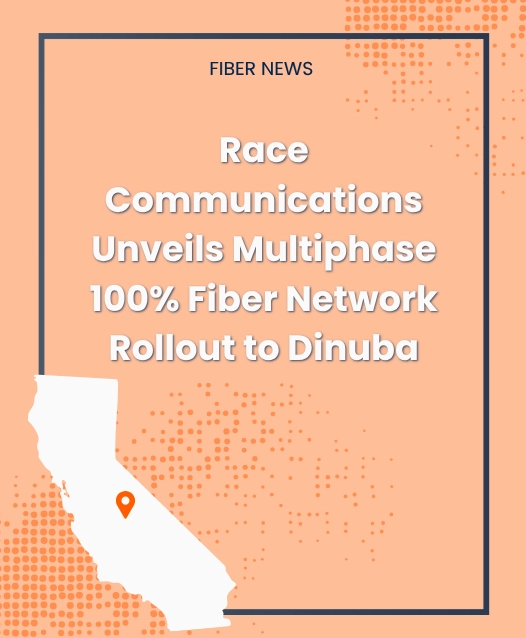
Race Communications Announces Multimillion-Dollar Investment to Bring 100% Fiber Internet to Dinuba
DINUBA, Calif., Aug. 26, 2026 — Race Communications today announced plans to expand its leading privately held 100% fiber-to-the-home (FTTH) network to the City of Dinuba, continuing the company’s rapid growth across California. Expected to connect 4,000 homes and businesses throughout the city to future-proof fiber-optic internet, the multimillion-dollar private investment will better equip thousands…
-

How to Fix “Connected Without Internet” (On WiFi, Router, Windows, Mac)
Wi-Fi Connected but No Internet? Here Is How to Fix It
-

What is a Guest WiFi Network (+ Why Do You Need It)
Guest network: key takeaways A guest WiFi network is a separate network on your same router. It gives visitors and devices internet access, kept apart from your main network and its password. It is mostly about two things: keeping the devices that run your daily life separate from the ones that just need internet, and…