Fiber Internet Equipment: Key Takeaways
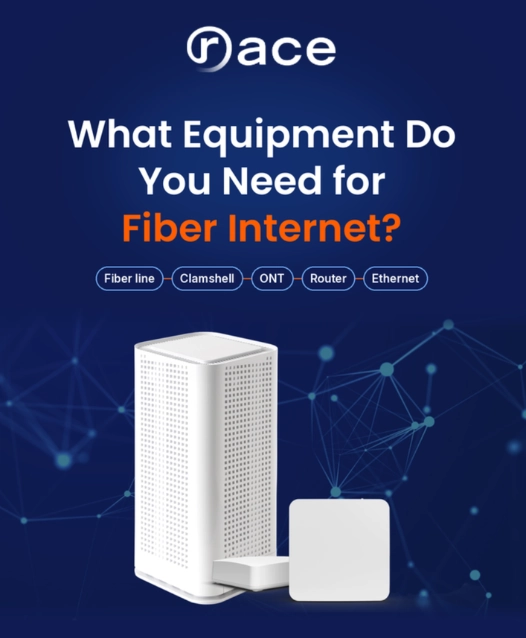
- Fiber internet needs five pieces of equipment: a fiber line, a clamshell, an ONT, a router, and Ethernet cables.
- You don’t need a modem. The ONT converts fiber’s light signals into data instead.
- Your provider installs the fiber line, clamshell, and ONT. With Race, the GigaSpire router and installation are included too.
- Your router and cables need to match your plan speed. Multi-gig plans need a router with a 2.5 Gbps or faster port and Cat6 or Cat6a cables.
- You don’t need to rewire your home. Mesh Wi-Fi, a UPS, and a surge protector are optional extras.
What equipment is needed for fiber optic internet? To get fiber internet at home, you need five things: a fiber optic line, a clamshell (a protective box outside your home), an ONT (optical network terminal), a Wi-Fi router, and Ethernet cables.
You don’t need a modem, because the ONT does that job. Most fiber internet providers, including Race Communications, supply and install all of it.
If you’re switching from cable internet, your new setup will look a little different from what you’re used to. Below, we break down what each piece of fiber internet equipment does, where it lives in your home, who provides it, and what (if anything) you might want to buy yourself.
Updated October 2026. We refreshed this guide with Race’s current equipment, router and cable requirements for multi-gig plans, and answers to common questions.
Fiber-to-the-Home (FTTH) Equipment at a Glance
Here’s the full list of fiber to the home equipment, and who’s responsible for each piece.
| Equipment | What it does | Where it lives | Who provides it |
|---|---|---|---|
| Fiber optic line | Carries data as light from the network to your home | Underground or on utility poles | Your internet provider |
| Clamshell | Protects the fiber connection from weather and damage | Outside wall of your home | Your internet provider |
| ONT | Converts light signals into data your devices can use (replaces the modem) | Inside, near where the fiber enters | Your internet provider |
| Router | Creates your Wi-Fi network and connects your devices | A central spot in your home | Usually your provider (Race includes a GigaSpire) |
| Ethernet cables | Connect the ONT to the router, and wired devices to the router | Between your equipment and devices | Your provider supplies the first one; extras are yours |
| Mesh Wi-Fi (optional) | Extends Wi-Fi coverage to every room | Around your home | Optional; only if your home needs it |
1. Fiber Optic Cable
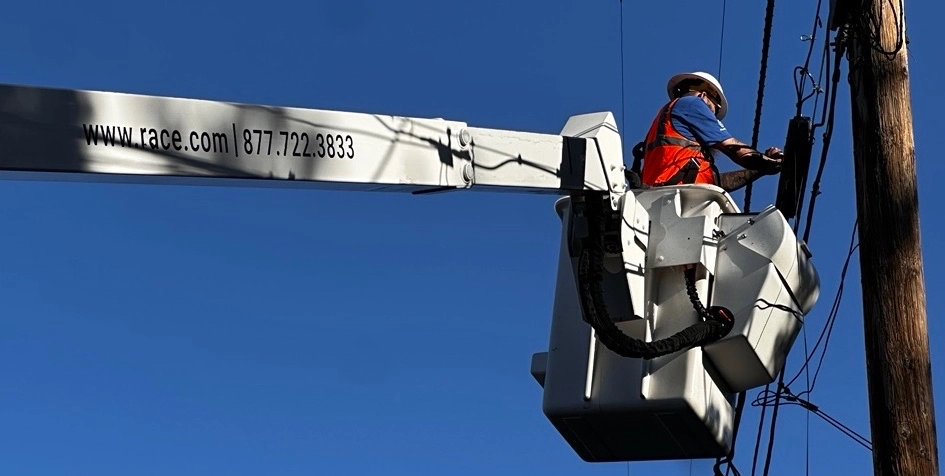
Fiber optic cable is what makes fiber internet fiber. Instead of sending electrical signals over copper wire, it carries data as pulses of light through strands of glass about as thin as a human hair. Light isn’t affected by electrical interference, so fiber stays fast and consistent, even over long distances.
Your internet provider installs the main fiber line during network construction. Depending on your street, it runs underground or aerially along utility poles. A smaller “drop” cable then brings the fiber to your home, where it connects at the clamshell. You never need to buy or handle fiber cable yourself.
The Fiber Path to Your Home
2. Clamshell
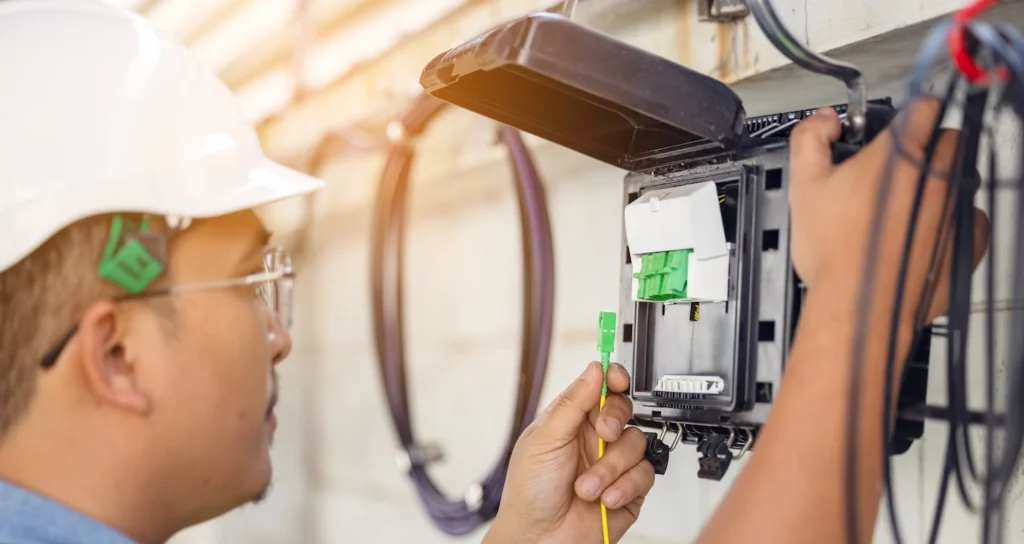
The clamshell is a small, weatherproof box mounted on an outside wall of your home, right where the fiber line connects. It protects the delicate fiber and connectors from rain, dust, and extreme temperatures. You may also hear it called a fiber NID (network interface device).
It’s easy to spot: usually a gray or black rectangular box with a hinged cover, often near your other utility boxes. Your technician installs it, and there’s nothing you need to do with it. If it ever looks damaged, contact your provider rather than opening it yourself.
3. ONT (Optical Network Terminal): Why Fiber Doesn’t Need a Modem
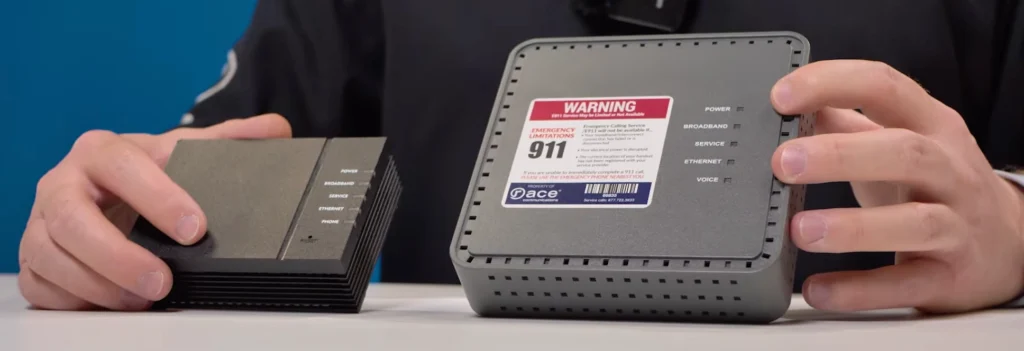
Fiber internet doesn’t need a modem. A modem translates the electrical signals that cable and DSL internet use. Fiber carries light instead, so it needs an ONT. The ONT converts those light signals into data and passes it to your router through an Ethernet cable.
ONT vs. Modem: What’s the Difference?
The ONT is installed inside your home, near where the fiber cable enters. It’s usually mounted on a wall in a garage, utility area, or near your other networking equipment. It’s about the size of a small modem, with an Ethernet port for your router and a power connection, so it needs an outlet nearby.
At Race Communications, our technicians install and configure the ONT during free installation. They’ll also help you pick a spot that works for your home, ideally close to where you’ll want your router.
4. Router: Do You Need a Special Router for Fiber Internet?
You don’t need a special “fiber router,” but you do need one that can keep up with your plan. The router takes the connection from your ONT and shares it with your devices over Wi-Fi or Ethernet. An older router can quietly cap your speeds, even on a fast fiber plan.
What to look for in a router for fiber internet:
- A WAN port that matches your plan. This is the port that connects to the ONT. A 1 Gbps port caps a 2 Gig plan at 1 Gig.
- Wi-Fi 6 or newer, dual-band or tri-band. Multiple bands spread your devices out and reduce interference.
- Enough capacity for all your devices. Phones, TVs, laptops, and smart home gadgets all share the same network.
- Easy management. An app makes it simple to change your password, set parental controls, and run speed tests.
Router and Cable Requirements by Fiber Plan Speed
| Plan speed | Router WAN port | Ethernet cable |
|---|---|---|
| Up to 1 Gig | 1 Gbps or faster | Cat5e or better |
| 2 Gig to 2.5 Gig | 2.5 Gbps or faster | Cat5e works; Cat6 recommended |
| 5 Gig | 5 Gbps or 10 Gbps | Cat6 or better |
| 10 Gig | 10 Gbps | Cat6a (Cat6 works for runs under about 180 feet) |
Wi-Fi rarely delivers multi-gig speeds to a single device, so plug in with Ethernet when you want your plan’s full speed.
The GigaSpire Router From Race
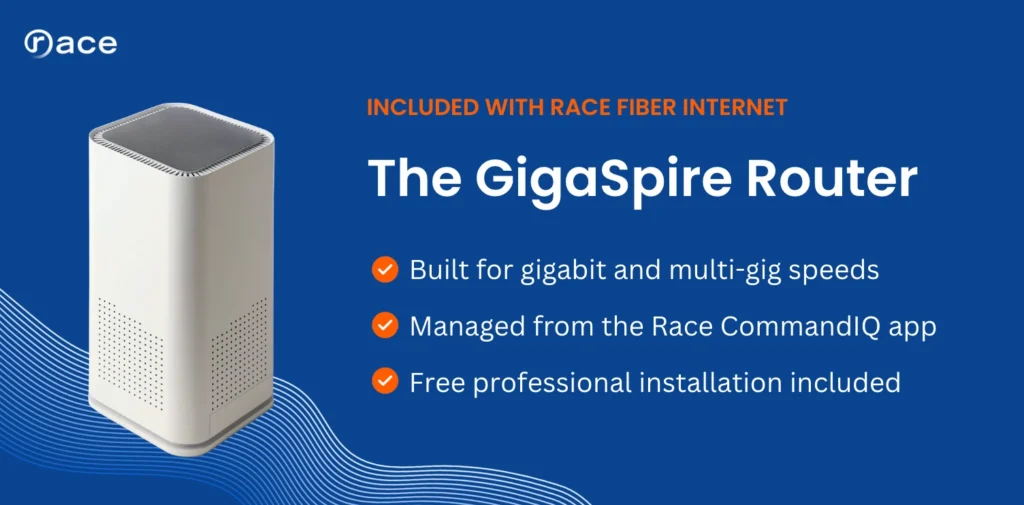
Race Communications includes a GigaSpire router with fiber service, built to handle gigabit and multi-gig speeds. Our technicians set it up during free installation. It pairs with the Race CommandIQ app, where you can:
- Set parental controls and screen time limits
- Rename your network, change your password, and see connected devices
- Run speed tests to troubleshoot issues
- Adjust firewall settings and set up port forwarding
Your technician will walk you through the app on installation day.
Can You Use Your Own Router?
Yes. You don’t have to use the router Race provides, but we recommend it. The GigaSpire is optimized for Race’s fiber network, and its managed Wi-Fi lets our support team help troubleshoot and fine-tune your connection.
- Related reading
10 Gig Home Internet: What It Is and Who Needs It
Read the article - Related reading
Do I Need a New Router?
Read the article
If you use your own router, keep in mind:
- It needs to handle your plan’s full speed. Not every router can, especially at 1 Gbps or higher. Lower-end routers can slow your connection or struggle with many devices at once.
- Gigabit-ready routers aren’t cheap. Routers that fully support gigabit speeds typically cost $200 to $1,000, depending on range, speed, and features.
- Support stops at Race’s network. Race can troubleshoot its own network, but not your personal equipment. If your router has problems, you’ll need to fix them yourself.
All the fiber equipment you need, included
Race fiber comes with the ONT, a GigaSpire router, and free professional installation.
5. Ethernet Cables
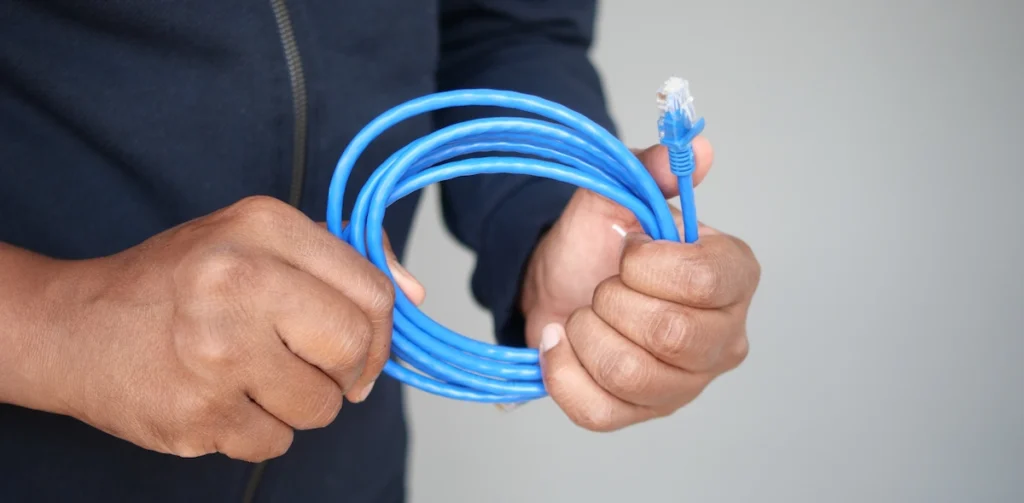
Ethernet cables give you the fastest, most stable connection your fiber plan can deliver. You’ll always have at least one: the cable between your ONT and router. Your technician brings that one during installation.
After that, wired connections are optional but worth it for devices that need full speed and low lag:
- Desktop computers and work-from-home laptops
- Gaming consoles
- Smart TVs and streaming devices for 4K
You don’t need special “fiber” Ethernet cables. Standard Cat5e, Cat6, or Cat6a cables work; the table above shows which one fits your plan speed.
How to Connect an Ethernet Cable
Optional Extras for Your Fiber Setup
These fiber accessories aren’t required, but they can make your setup work better in certain homes.
- Mesh Wi-Fi. In larger homes, homes with multiple floors, or homes with thick walls, one router may leave dead zones. A mesh system adds extra units that work together to cover every room. A Wi-Fi extender is a cheaper fix, but it usually delivers lower speeds than mesh.
- Uninterruptible power supply (UPS). Your ONT and router need power to work. A UPS is a battery backup that keeps them running through short outages, which helps if you work from home. If you have Race home phone service, Race also offers 8-hour and 24-hour backup batteries for the ONT, so your phone line and 911 calling keep working when the power goes out.
- Surge protector. A surge protector shields your ONT, router, and devices from voltage spikes. It’s an inexpensive add-on, especially in areas with frequent storms or unstable power.
Switching From Cable to Fiber? What to Do With Your Old Equipment
- Retire your old modem. It won’t work with fiber. If you rented it from your old provider, return it to avoid an unreturned-equipment fee.
- Check your old router. If you own it and it meets the requirements above, it may still work. If not, the GigaSpire from Race replaces it.
- Plan where your ONT goes. Pick a spot near a power outlet and close to where you’d like your router.
- Skip the rewiring. You don’t need to rewire your house for fiber. The technician brings the fiber line to your ONT, and everything after that uses standard Ethernet and Wi-Fi.
What Equipment Does Race Communications Provide?
With Race Communications, everything you need for fiber internet is included and installed by our technicians, with no technician fees:
- The fiber line and clamshell outside your home
- The ONT, installed and configured inside your home
- The GigaSpire router, set up for your plan’s speed
- The Race CommandIQ® app for managing your Wi-Fi network
As a fiber-to-the-home provider, Race delivers speeds up to 10 Gbps, so your connection is ready for streaming, gaming, working from home, and everything in between.
Ready for fast fiber internet at home?
Race delivers speeds up to 10 Gbps, with the ONT, GigaSpire router, and installation included. Plans vary by address.
Frequently Asked Questions
Does fiber internet need a modem?
No. Fiber internet uses an ONT (optical network terminal) instead of a modem. The ONT converts the light signals from the fiber line into data your router can use.
What equipment do I need to buy for fiber internet?
Usually nothing. Your provider supplies the fiber line, clamshell, ONT, and in most cases a router. You might choose to buy extra Ethernet cables, a surge protector, or a UPS.
Can I plug the fiber line directly into my router?
Not in most home setups. The fiber line connects to the ONT, and the ONT connects to your router with an Ethernet cable.
Does the ONT give off Wi-Fi?
No, in most setups the ONT doesn’t broadcast Wi-Fi. Your router creates your Wi-Fi network. At Race, that’s the GigaSpire.
Can I use my own router with Race fiber internet?
Yes. You don’t have to use the router Race provides, but it’s recommended. The GigaSpire is optimized for Race’s fiber network and lets our support team troubleshoot your Wi-Fi. With your own router, Race can troubleshoot only its network, not your equipment, and your router needs to support your plan’s full speed.
Do I need to rewire my house for fiber internet?
No. The technician brings fiber to your ONT. From there, your home network runs on standard Ethernet cables and Wi-Fi.
Do I need special Ethernet cables for fiber?
No. Standard Ethernet cables work. Use Cat5e or better for plans up to 1 Gig, and Cat6 or Cat6a for multi-gig plans.
Which fiber internet providers include equipment?
Most fiber providers include the ONT and installation, but routers and mesh Wi-Fi vary. Race Communications includes the ONT, a GigaSpire router, and the CommandIQ® app, with free installation.