
Key takeaways
- Short answer: yes, a Wi-Fi extender can help with buffering when a weak Wi-Fi signal is the cause. It won’t fix buffering caused by a slow internet plan or a congested network.
- Three common causes: slow internet speed, too many devices online at once, and a weak signal in rooms far from your router.
- Try these first: move your router to a central, elevated spot, connect TVs and desktops with an Ethernet cable, lower your streaming quality, and pause heavy downloads while you stream.
- Booster vs. extender: a booster strengthens the signal where your router already reaches. An extender rebroadcasts it to areas your router can’t reach.
- Know the limits: extenders can slow speeds on the extended network, and placement makes a big difference.
- For whole-home coverage: Race Whole Home Wi-Fi adds professionally placed mesh units and Race support for $15/month.
Will a Wi-Fi extender help with buffering? If you’re tired of videos freezing mid-stream, plagued by constant buffering on your TV or phone, or frustrated by slow loading times, you’re not alone. Video buffering interrupts streaming on all sorts of devices: TVs, phones, and computers. The causes are often linked to weak Wi-Fi signals or network congestion. A Wi-Fi extender can be an effective solution, but understanding exactly how it works, why buffering happens, and whether an extender can fully solve the issue is the best way to smoother streaming.
We’ll cover common causes of buffering and explore how a Wi-Fi extender or Wi-Fi booster might help you finally get a stable connection. Whether you’re dealing with streaming buffering on your smart TV, smartphone, or buffering on streaming platforms, this article will help you troubleshoot and find practical ways to improve your connection for good.
How to Boost Slow Internet: 12 Simple Fixes
What Causes Video Buffering?
Buffering can be a frustrating experience, especially when you’re trying to enjoy a show or catch up on videos.
What causes buffering? There are a few common reasons why videos keep freezing or lagging:
| Cause | What happens | Will an extender help? |
|---|---|---|
| Slow internet speed | Your connection doesn’t have enough bandwidth to keep up with video playback. This is especially common at peak times, when everyone is online. | No.No. An extender can’t add speed your plan doesn’t have. |
| High network traffic | Too many phones, laptops and smart TVs on your network at once cause congestion, so each device gets a less stable signal. | No.Not on its own. Pause heavy downloads and limit devices while you stream. |
| Weak Wi-Fi signal | You’re streaming far from your router, or walls and obstacles block the signal. | Yes.Yes. This is where an extender boosts signal strength in different areas of your home. |
Buffering on TV, Phone, and Computer: What’s the Difference?
Buffering issues vary depending on the device. Here’s how buffering might differ between TVs, phones, and computers, along with some tailored advice for each.
- Smart TVs
Buffering on TV
TVs are often positioned far from the router, and HD or 4K streaming demands even more bandwidth. A Wi-Fi booster for TV or moving your router can sometimes solve the issue.
- Phones
Why does my phone keep buffering?
Background apps and weaker reception as you move from room to room can interrupt playback, and phones often switch between Wi-Fi and cellular. Close background apps and stream near the router if you don’t have an extender.
- Laptops and desktops
Computer buffering
Multiple open tabs or apps running in the background can drain bandwidth. A wired connection can stabilize desktops, while laptops might benefit from a nearby Wi-Fi extender.
By identifying the specific causes of buffering on your device, you’ll be better equipped to make streaming buffer-free.
Do Wi-Fi Extenders & Boosters Really Help with Buffering?
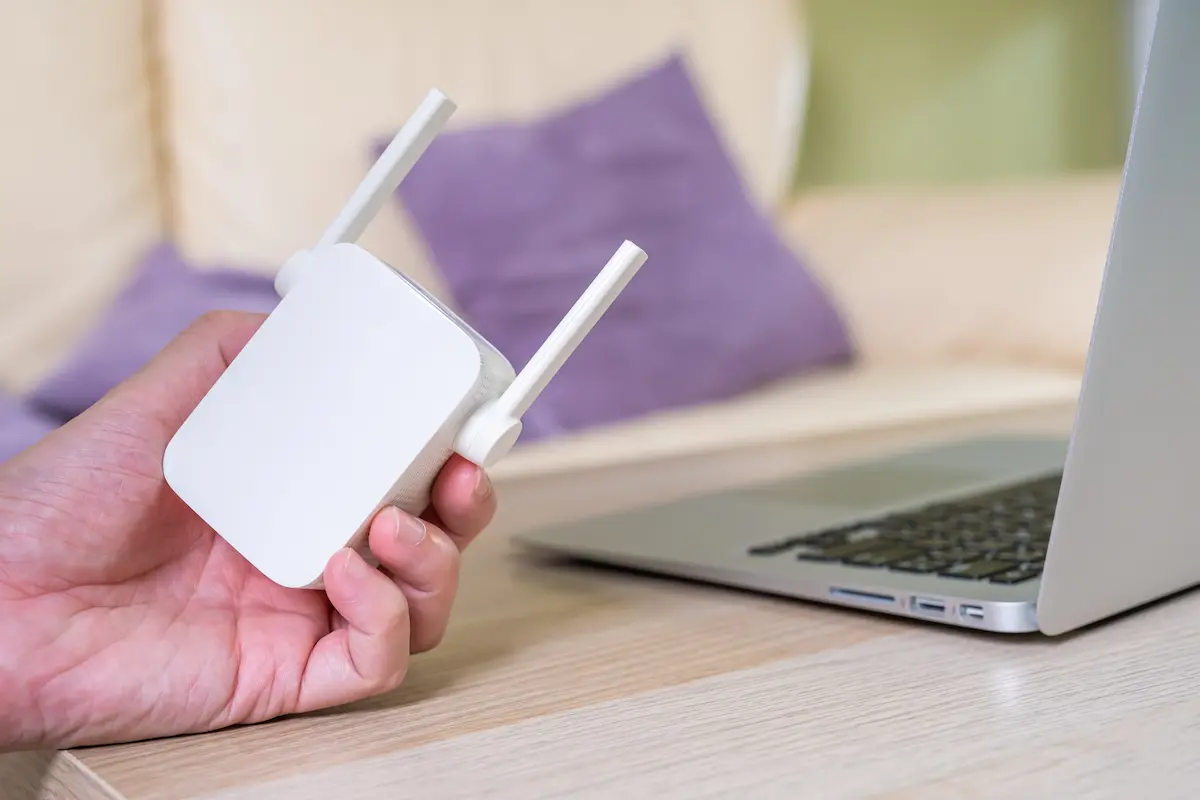
Do Wi-Fi extenders and boosters really help with buffering? The short answer is, yes, they can. Though it depends on the root cause of your buffering issues. Here’s a closer look at how these devices work, what they can realistically achieve, and when they might be the right solution for reducing buffering.
How Wi-Fi Extenders and Boosters Work
A Wi-Fi extender (or Wi-Fi booster) can help by expanding your network’s range, especially if your router’s signal doesn’t cover every room in your home. Extenders pick up your existing Wi-Fi signal and “extend” it to reach further areas, which can reduce buffering if weak signal strength is the main problem.
Boosters work similarly but are often designed to amplify the signal itself rather than extend its reach. So, if the signal from your router is strong but just needs a little extra power to maintain a consistent connection for streaming, a Wi-Fi booster might be a more effective solution than an extender. Both devices can help reduce buffering on smart TVs, phones, computers, and other connected devices.
When an extender won’t fix buffering
Wi-Fi extenders and boosters can improve your overall signal, but they’re not a cure-all.
- Your plan is too slow. If the speed from your internet provider is consistently low, an extender alone may not solve the problem.
- Your network is congested. Frequent congestion from many devices won’t go away with a stronger signal.
- Extended networks can be slower. Extenders can slow down speeds on the extended network, so results depend on your home’s layout and how many devices are connected.
Mesh Wi-Fi and Race Whole Home Wi-Fi
If buffering follows you from room to room, one extender may not be enough. A mesh Wi-Fi system uses several units placed around your home that work with your router as one network, so your devices stay connected as you move between rooms. Where those units go matters as much as how many you have, and that’s the part most people have to guess at.
New from Race
Race Whole Home Wi-Fi
$15/month add-on
Fast fiber to your home, and great Wi-Fi throughout it. A Race technician designs and sets up a mesh Wi-Fi network for your home, and Race supports it from then on, so you don’t have to manage it yourself.
- Professional setup: your technician runs coverage and heat-map tests, then places mesh units where your home needs them.
- Mesh equipment: up to two mesh units, based on your home’s coverage needs, with no upfront equipment cost.
- One managed network: Race supports your router and mesh units together as one system.
- Easy to manage: see and control your network in the Race CommandIQ app.
Works with every Race residential plan. Wi-Fi speeds still vary by device and location in your home.
Types of Buffering Issues that Wi-Fi Extenders & Boosters Can Solve
- Buffering on smart TVs. If you’re experiencing buffering on TV, especially in areas far from the router, a Wi-Fi booster or extender can provide the extra signal strength needed to maintain smooth streaming. This is particularly helpful when streaming in HD or 4K, which requires a strong and steady signal.
- Phone and computer buffering. A Wi-Fi extender can be helpful for devices like phones and laptops that move between rooms. If you’ve noticed phone buffering issues while streaming, an extender can maintain signal strength as you move, keeping connections more stable across your home.
Adding a Wi-Fi extender or Wi-Fi booster can be a practical step toward solving streaming buffering issues if weak signal strength is the primary cause. However, understanding these devices’ capabilities and limitations will ensure you get the best results.

How to Stop Buffering on Streaming Devices
Wondering how to stop buffering on your streaming devices? Whether you’re dealing with buffering on your TV, phone, or computer, here are practical steps to improve streaming quality and reduce interruptions.
1. Optimize Your Wi-Fi Placement
The placement of your router can make a big difference. Keeping your router in a central, elevated spot—ideally free of obstructions like walls and furniture—can help extend the signal reach and improve streaming quality. If your TV or streaming device is far from the router, a Wi-Fi extender or booster can strengthen your connection, giving you a smoother experience and helping stop buffering without the need for an internet upgrade.
2. Use a Wired Connection for Stable Streaming
For devices like TVs and desktop computers that stay in one location, a wired connection is often faster and more reliable than Wi-Fi alone. Using an Ethernet cable, or even a wired Wi-Fi booster, can provide a steady connection that reduces buffering issues, especially in homes with multiple devices streaming or gaming at the same time.
3. Adjust Streaming Quality on Platforms
Lowering the video quality from 4K to HD or SD on platforms like Netflix and Xfinity can reduce the load on your network and lessen buffering, especially during peak hours. This small change is a quick fix if high network traffic is causing video interruptions.
4. Limit Network Traffic & Device Usage
If several devices are streaming, gaming, or downloading simultaneously, it’s easy for the network to get congested. Pausing heavy data activities on other devices while streaming can reduce buffering significantly and improve video quality.
Reducing Buffering on Specific Platforms: Netflix, Xfinity, and More
For platforms like Netflix, YouTube, and Xfinity, buffering can vary by service. Here’s how to troubleshoot buffering issues on popular streaming services:
Streaming on Cable Services
If cable streaming services keep buffering, start by checking your Wi-Fi connection strength. Using a Wi-Fi booster can help maintain a steady signal for better streaming quality, and a wired connection can also improve reliability.
Tips for Streaming on Netflix and YouTube
On platforms like Netflix, updating the app and adjusting video resolution can reduce buffering, especially if the Wi-Fi connection is weak or several devices are active on the same network. YouTube offers a similar feature; lowering video quality can improve playback when the signal is inconsistent.
By positioning your router correctly, using a Wi-Fi extender or booster, and making a few adjustments to device settings, you can minimize buffering and enjoy a better streaming experience across all devices.
Choosing Between Wi-Fi Boosters and Extenders for Better Streaming
When it comes to improving streaming quality and reducing buffering, you might wonder whether a Wi-Fi booster or extender is better for your setup. Each device has its strengths, so understanding the differences between a Wi-Fi booster and an extender will help you choose the right option for your needs.
Wi-Fi Booster vs. Wi-Fi Extender: What’s the Difference?
A WiFi booster is designed to amplify an existing Wi-Fi signal, making it stronger for connected devices, especially in areas where your router’s signal is already present but may be weak. This makes a booster ideal if you’re looking to improve signal strength for specific devices, such as a Wi-Fi booster for TV in a dedicated media room.
On the other hand, a Wi-Fi extender effectively “extends” your Wi-Fi range by rebroadcasting the signal, which can be useful if parts of your home are completely out of reach of your router’s current coverage. If your setup includes multiple devices spread across large areas, like both a TV and several mobile devices in different rooms, an extender can help improve coverage throughout your space.
| Option | What it does | Best for |
|---|---|---|
| Wi-Fi booster | Strengthens an existing signal where your router already reaches but the signal is weak | One device or room, like a TV in a media room |
| Wi-Fi extender | Rebroadcasts your Wi-Fi to reach parts of your home outside your router’s coverage | Dead zones, with devices spread across several rooms |
| Wired Wi-Fi booster | Connects to your router with an Ethernet cable for a more stable connection | Devices that stay put, like smart TVs and desktops |
| Mesh Wi-FiRace Whole Home Wi-Fi | Several units work with your router as one network, placed and set up by a Race technician | Steady coverage across the whole home, managed and supported by Race |
When to Use a Wi-Fi Booster vs. Extender
- For TVs and Specific Devices: If buffering primarily affects your TV or a dedicated streaming area, a Wi-Fi booster for TV can help strengthen the signal to that specific device without covering the whole house.
- For Homes with Multiple Devices: If you have a variety of devices across different rooms, a Wi-Fi extender can help eliminate dead zones, making it possible to stream smoothly from multiple devices without buffering.
When to Consider a Wired Wi-Fi Booster
If you’re experiencing persistent buffering and need a solution that’s both stable and high-speed, a wired Wi-Fi booster may be worth considering.
Benefits of a Wired Wi-Fi Booster
A wired Wi-Fi booster connects directly to your router via an Ethernet cable, which provides a reliable and fast connection for streaming and other high-bandwidth activities. This option is especially effective for Wi-Fi booster for streaming, as a wired connection minimizes interference and ensures a consistent signal, even if other devices are connected to WiFi.
A wired booster is ideal for streaming devices like smart TVs or desktop computers that don’t move frequently. If uninterrupted streaming is your priority, a wired booster may be the best option for delivering high-quality playback without the risk of buffering interruptions.
By choosing the right device (a Wi-Fi extender for broader coverage or a wired Wi-Fi booster for stable streaming), you can create a setup that’s optimized for your specific streaming needs.
How to Increase Wi-Fi Speed: 21 Tips
Setting Up Your Wi-Fi Extender or Booster to Stop Buffering
Setting up a Wi-Fi extender or Wi-Fi booster correctly is crucial for stopping buffering and ensuring smooth streaming. Here’s a step-by-step guide to help you set up these devices for maximum effectiveness, especially if you’re using them for specific purposes, like improving streaming on your TV.
Step-by-Step Guide to Set Up Your Wi-Fi Extender or Booster
- Choose the right location. Place your extender or booster about halfway between your router and the device that’s buffering. For a TV, make sure it’s close enough to deliver a strong signal to the TV while still getting a reliable signal from the router.
- Follow the setup instructions. Most extenders and boosters are plug-and-play. Use the manufacturer’s app or guide to connect the device to your network. If you’re unsure how to set it up manually, look for WPS (Wi-Fi Protected Setup) on both the router and the extender.
- Adjust settings for the best performance. After setup, log into the extender’s settings (usually through a browser) to fine-tune performance. If your device allows it, adjust the frequency band to prevent interference, especially when streaming in HD.
- Test your connection strength. Use your phone or computer to check signal strength near the device getting the boosted signal. If buffering continues, move the extender slightly closer to the router until the connection stabilizes.
Avoid these setup mistakes
- Placing the booster too close to the router. It won’t extend the range much there. Put it where the signal starts to weaken but is still stable.
- Overloading the network. Too many devices on the extender slow it down. Focus the boosted signal on the devices that need it most.
- Ignoring firmware updates. Manufacturers release updates that improve performance and connectivity, so check for them regularly.
- Skipping troubleshooting steps. If buffering persists, restart the router, reset the extender and make sure all cables are secure.
Will Wi-Fi Extender Help with Buffering: Conclusion
Buffering often starts with the connection itself. Race fiber internet brings fast, reliable speeds to your home, with uploads as fast as downloads, so streaming on several devices at once is easier to keep up with. And if weak spots are the problem, Race Whole Home Wi-Fi brings that connection into more of your home, with expert mesh setup and support from Race.
Explore fast fiber internet plans from Race
Speeds up to 10 Gig, uploads as fast as downloads, and no data caps. Enter your address to see the plans available at your home.
Frequently Asked Questions About Wi-Fi Extenders
Why does my video keep buffering?
Buffering often happens due to slow internet speeds, high network traffic, or weak Wi-Fi signals. Solutions include using a Wi-Fi extender to boost coverage or reducing network congestion.
How to reduce buffering on TV?
For TVs, try positioning a Wi-Fi booster nearby, lowering video quality, or using an Ethernet connection for a more stable link.
Can a Wi-Fi booster help with phone buffering?
Yes, a Wi-Fi booster can improve signal strength for mobile devices in low-signal areas, reducing buffering on your phone, especially when moving between rooms.
How can I prevent buffering altogether?
The best way to prevent buffering is to ensure you have strong, stable internet. Wi-Fi extenders, boosters, and managing device usage can all help keep the signal consistent.
Is mesh Wi-Fi better than a Wi-Fi extender?
For whole-home coverage, often yes. An extender rebroadcasts your router’s signal to reach one area, while a mesh system uses several units that work with your router as one network. Race Whole Home Wi-Fi includes professional mesh setup and Race support for $15/month.