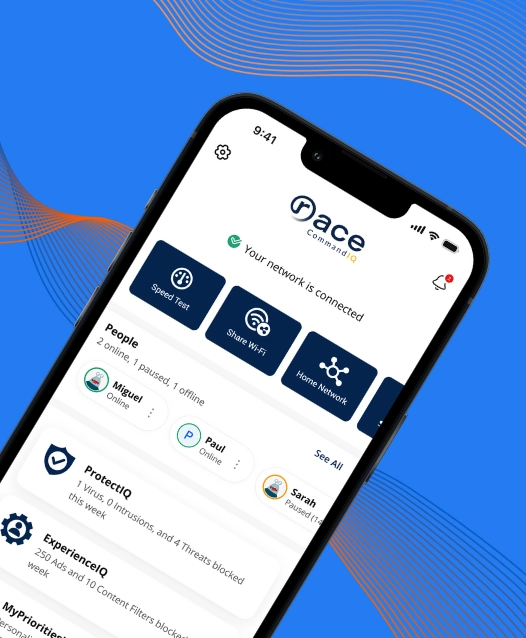
At Race, we believe an internet provider should offer more than a fast connection. In today’s world, where nearly everything in your home depends on Wi-Fi, your ISP should also help make your online experience safer, simpler, and smarter. Delivering fast fiber internet is only part of our job. The rest is giving you the tools to take control of them.

That’s exactly why we offer Race CommandIQ, our Wi-Fi management app designed to elevate the way you experience your home internet. It’s a powerful, intuitive companion that puts your entire home network in your hands.
With Race CommandIQ, you can see every device connected to your Wi-Fi, manage how and when your family gets online, protect your home from digital threats, and optimize performance for work, play, and everything in between.
Simple Setup, Right From Your Phone
The setup of Race CommandIQ is fast. All you do is download the app, open it, and scan the QR code on your Race router.
The app recognizes your equipment instantly and pulls your network into view. No long forms, no confusing steps, no guessing what to do next.
Once you’re in, you can see your network, your devices, and your tools right away. It takes only a couple of minutes, and yes, it actually works that smoothly.
Your Wi-Fi Command Center
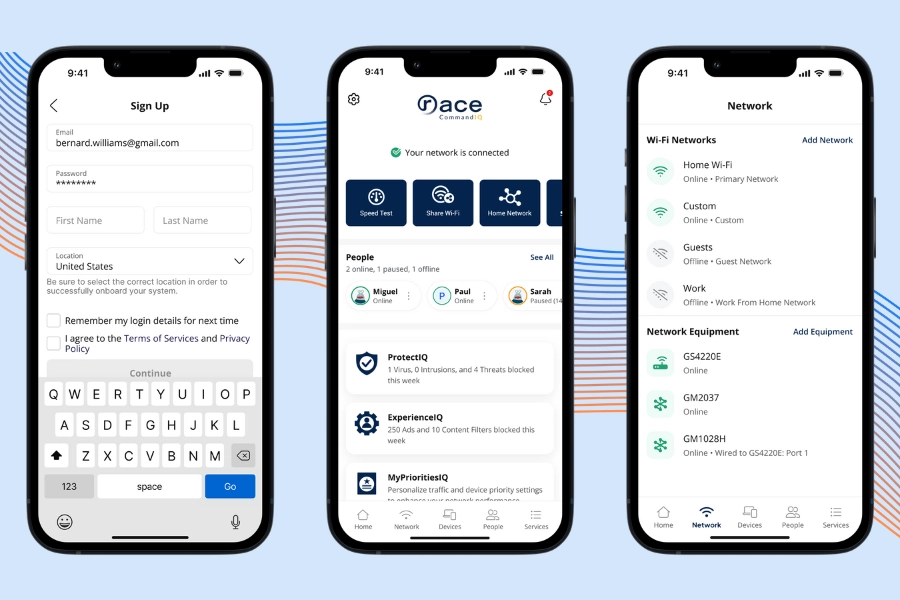
When you open the app, the home screen gives you a clean, simple view of your entire network.
Here’s what you see right away:
- Your network status
- Your connected devices
- Quick shortcuts to security, parental controls, and performance modes
- A speed test button for instant results
This screen is your starting point: check in, make changes, and get on with your day. If your Wi-Fi is working well, the home screen shows it. If something needs your attention, you’ll see that too.
See and Control Every Device on Your Wi-Fi
Most homes have more devices connected to Wi-Fi than people realize: phones, tablets, TVs, laptops, smart plugs, doorbells, cameras, and random gadgets that somehow need internet too. Race CommandIQ shows you all of them in one clean list.
Here’s what you can do in the Devices section:
- See every device that’s using your network
- Rename devices so you know exactly what they are
- Check when a device is online
- Pause the internet for any device with one tap
Pausing a device means the internet stops working only for that device. It’s great for cutting off distractions during homework, dinner, or bedtime.
You can also assign devices to people later, which helps organize your household and makes parental controls way easier.
This section takes the mystery out of your Wi-Fi. You always know what’s connected, who’s using what, and how to take control when you need to.
People Profiles & Parental Controls
Race CommandIQ lets you create profiles for each person in your home. A profile is a simple way to group someone’s devices together so you can manage them all at once.
Here’s what you can do with a person’s profile:
- See all the devices they use
- Pause their internet access
- Set time limits
- Block specific apps or websites
- Filter out adult or unsafe content
These controls fall under a feature called ExperienceIQ®, which is built into the app.

Parental Controls
Parental controls give you the ability to decide when, how, and what your kids (or anyone) can access on the internet. They help create healthy habits and reduce distractions.
Here’s what each feature actually does:
1. Time Limits
You set hours when the internet is allowed or not allowed for a specific person.
Examples:
- No internet after 9 PM
- Homework time from 4–6 PM with limited apps
- No gaming during school hours
The app enforces the schedule automatically.
2. Website & App Blocking
You can block specific websites (like social media or gaming sites) or entire categories (like adult content, violence, or gambling).
If someone tries to access something blocked, it simply won’t load.
3. Safe Search & YouTube Restrictions
These tools filter search results and videos to remove mature or unsafe content.
This helps younger users avoid things they shouldn’t see, even by accident.
4. Activity Visibility
You can see when a device was online and how much data it used.
This helps you understand patterns, like late-night browsing or nonstop streaming.
Built-In Security That Protects Your Home Network
Race CommandIQ includes a security feature called ProtectIQ®.
It keeps your home network safe from online threats, even when you’re not thinking about it.
Many people don’t realize this, but threats don’t just come from sketchy websites. Harmful files, infected ads, and fake links can reach any device in your home: phones, laptops, security cameras, smart doorbells, and more. ProtectIQ® helps block these threats before they get to your devices.
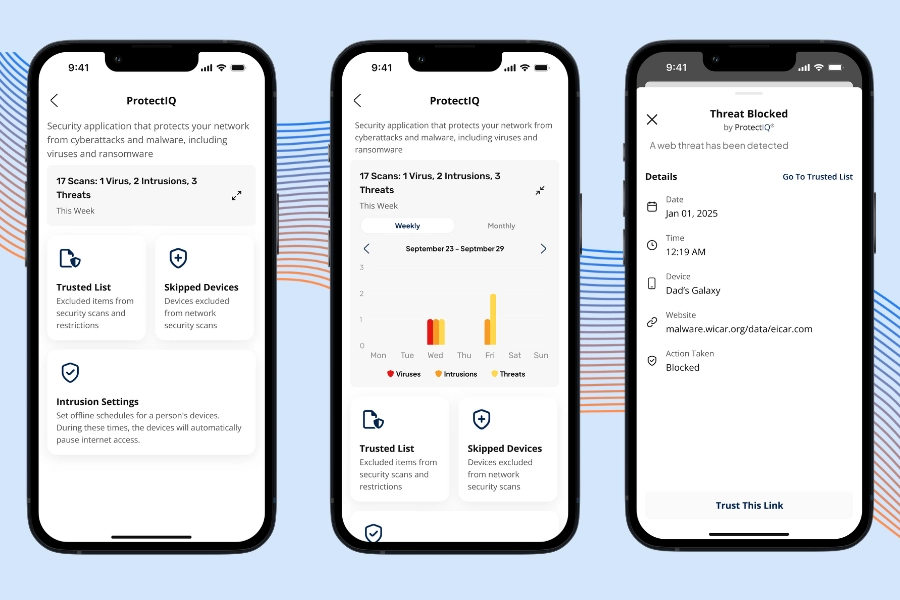
What ProtectIQ® actually does
- Blocks dangerous websites
If a site is known for malware, scams, or viruses, it won’t load. - Stops harmful traffic at the network level
This means threats are blocked before they reach your devices. - Scans for suspicious behavior
If something looks unsafe, the app steps in automatically. - Sends real-time alerts
You get a notification when a threat is blocked, so you know your network is protected.
What does “network-level protection” mean?
Most people only rely on antivirus apps installed on one device.
ProtectIQ® works differently. It protects every device connected to your Wi-Fi, even devices that cannot install antivirus software, like smart TVs, printers, cameras, and speakers.
If ProtectIQ® ever blocks a website you believe is safe, you can add it to your Trust List so it won’t get blocked again.
Prioritize What Matters Most to You on Your Wi-Fi
Not all online activities need the same level of speed and stability.
Streaming a movie is different from joining a Zoom meeting.
Gaming is different from checking email.
Race CommandIQ includes a feature called MyPrioritiesIQ®. It lets you choose which activities or devices should get the best Wi-Fi performance when it matters.
Prioritization means the app gives certain devices or tasks first access to your available bandwidth. Your internet plan doesn’t change, but the way your Wi-Fi divvies up its speed does.
Example:
If you’re in a video meeting, your laptop can be prioritized so it gets a stronger, more stable connection. Other devices in the house may slow down a little, but your meeting stays smooth.
It’s about giving the right device the right amount of support at the right time.
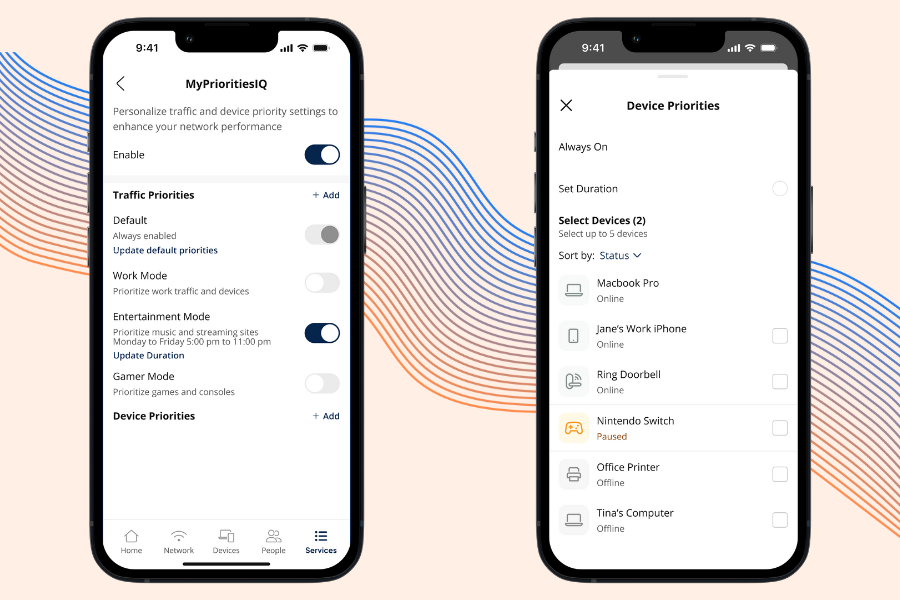
Performance Modes: One-Tap Wi-Fi Optimization
MyPrioritiesIQ® comes with three simple modes:
1. Gaming Mode
This reduces lag (delay) and helps keep your connection steady during online games.
Your gaming console or PC gets top priority.
2. Work Mode
This mode prioritizes things like Zoom, Teams, email sync, and cloud apps.
It helps prevent glitches, frozen screens, and dropped calls during work.
3. Entertainment Mode
This keeps streaming smooth on apps like Netflix, Disney+, and YouTube.
Buffering is reduced, and videos load faster.
You can also prioritize a single device.
If you don’t want a full mode, you can pick one device (your laptop or your child’s gaming console) and give it temporary priority.
This is helpful when:
- You’re in a meeting
- Your kid is gaming online
- You’re streaming a movie
- You want smoother performance for a short period
Create a Guest Network in Seconds
When friends, family, or visitors come over, they usually ask for the Wi-Fi password. Sharing your main password is not ideal, especially if it gives access to your entire network.
Race CommandIQ® solves this with Guest Wi-Fi.
What is a guest network?
A guest network is a separate Wi-Fi network just for visitors.
It uses a different name and password, and it keeps your main devices private.
Your guests get fast, reliable internet. Your personal network stays protected.
In the app, you can:
- Go to the Network tab
- Tap Add Network
- Name your guest Wi-Fi
- Create a password (optional but recommended)
- Choose if it’s temporary or always on
If you set it as temporary, the network will turn off automatically when the time is up.
Speed Tests Made Simple
Sometimes your Wi-Fi feels slow, and you want a quick way to check what’s going on. Race CommandIQ includes a built-in speed test that gives you accurate results in seconds.
When you tap Bandwidth Test, the app measures:
- Download speed
How fast your device receives data. This affects streaming, browsing, and downloads. - Upload speed
How fast your device sends data. Important for video calls, gaming, and sending files. - Ping (latency)
How quickly your connection responds. Lower numbers mean smoother gaming and fewer video call delays.
The app also checks the connection between your router, any mesh units, and the internet. This helps you see exactly where a slowdown might be happening.
Speed tests change based on:
- Your distance from the router
- Walls or floors between you and the router
- How many devices are active
- The type of device you’re using
- Normal network traffic
This is normal for all Wi-Fi networks. Your plan provides “up to” speeds, which means results can fluctuate.
Take Control of Your Wi-Fi Today
Race CommandIQ gives you real control over your home internet; the kind of control most people don’t get from a typical router or ISP. With clearer visibility, stronger security, better performance, and easy-to-use tools, the app helps you get the most out of your Race connection every day.
If you’re a current Race customer with a Race router, the app is already available to you at no extra cost. Download it, sign in, and see how much easier Wi-Fi can be.