In short
Key Takeaways
- ✓Kids are online a lot. In 2025, 40% of U.S. teens told Pew Research Center they are online almost constantly.
- ✓Time is not the only question. Look at what screens take the place of, like sleep, play, homework and family time.
- ✓Race CommandIQ® gives you a profile for each person, so you can see which devices are online and how they are used.
- ✓You can pause devices, set daily app limits and schedule offline hours for meals, homework and bedtime.
- ✓You can block categories, apps or websites that do not fit your family’s rules.
- ✓A guest network, ProtectIQ® alerts and traffic priorities help you manage and protect your home network.
Tools and conversation work well together. Keep talking with your kids about what they see and do online.
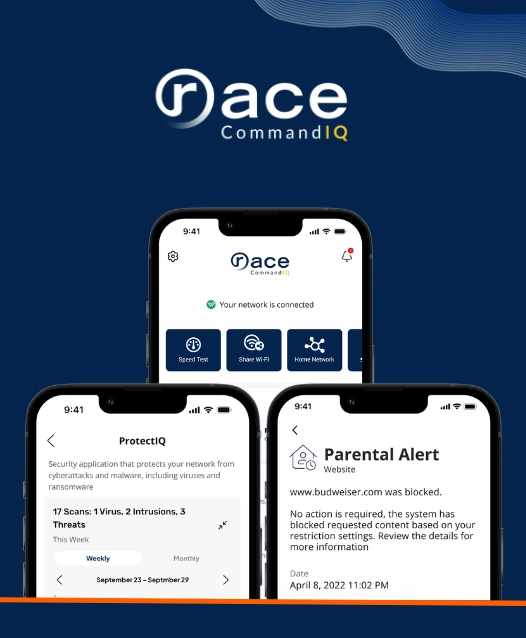
Raising kids in a connected world is a big job. Race CommandIQ® gives you a simple way to see what is happening on your home Wi-Fi and set rules that fit your family.
Screens are part of growing up now. Parents often want the same two things: room for kids to learn and have fun online, and peace of mind that they are safe. If you feel pulled between the two, you are not alone.
You do not need to be a tech expert. Race CommandIQ® is a mobile app that lets you see and manage your home network. Below are seven ways it can help your family. First, a short look at what recent research says.
What the Research Says
Numbers can help you see the bigger picture. These come from primary sources, such as national surveys and U.S. health agencies. They are here to inform you, not to worry you.
40%
of U.S. teens say they are online almost constantly. A decade ago, it was 24%.
Source: Pew Research Center, 2025. A slight dip from 2024, but far above a decade ago.
8h 39m
average daily entertainment screen time for teens ages 13 to 18. Tweens ages 8 to 12 average 5h 33m. School and homework are not counted.
Source: Common Sense Media, survey fielded in fall 2021.
77%
of U.S. high school students say they use social media at least several times a day.
Source: CDC, 2023 Youth Risk Behavior Survey.
Two things to keep in mind
These surveys show how common screen use is. They cannot prove that screens cause harm. The U.S. Surgeon General says more research is needed, and that kids are affected in different ways.
Screen time is not all bad. Kids learn, create and stay in touch with friends online. In 2026, the American Academy of Pediatrics (AAP) advised families to look beyond simple screen-time limits and think about quality, context and conversation. A good plan makes room for sleep, exercise, play, homework and family.
What Is Race CommandIQ?
Race CommandIQ® is a mobile app for your home network. See what is connected, who is using it, and how. Then manage it with a few taps.
It is built on two parts:
ExperienceIQ
Your day-to-day controls. Set up profiles, see connected devices, and use parental controls and other tools to manage your Wi-Fi.
ProtectIQ®
Your security layer. It monitors traffic coming into your home network, blocks suspicious activity and sends you alerts.
7 Reasons Why Parents Need It
Seven ways Race CommandIQ® can help you guide your family’s digital life, one step at a time.
1. Monitor Device Usage
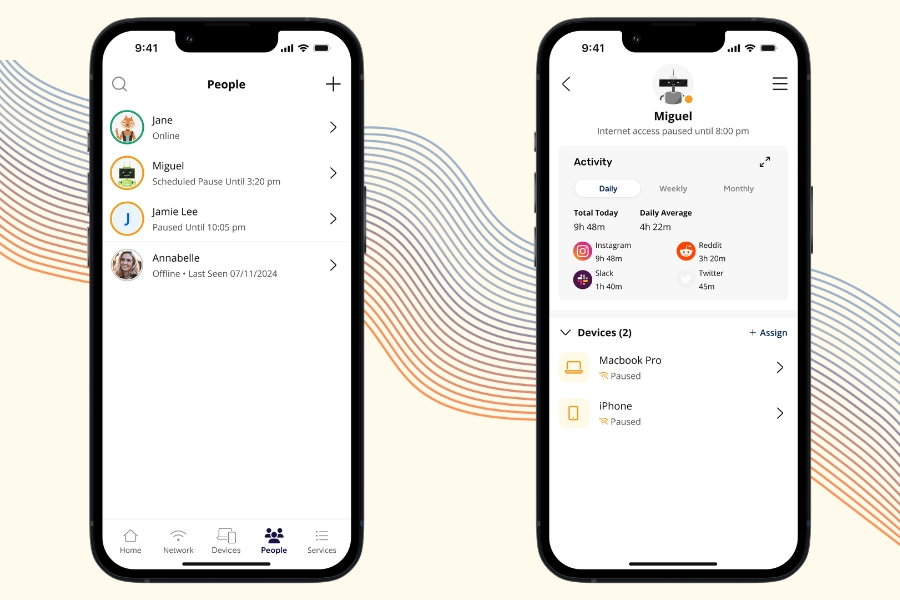
Start by seeing what is going on. In the app, you create a profile for each person in your home. Then you assign their devices to their profile.
With that set up, you can:
- See which devices are online right now
- See roughly how much time each person spends online
- See which apps and types of sites they use most
- Notice when habits change, so you can talk about it early
When you know what is normal for your family, you can have calm, informed conversations with your kids instead of guessing.
2. Turn Your Children’s Devices Off & On
Dinner is on the table. The game is not finished. Sound familiar?
With one tap, you can pause internet access for a device or a whole profile. Tap again when it is time to go back online. You decide the rule, and one tap puts it in place.
Many families use this for meals, homework and bedtime. The U.S. Surgeon General’s advisory suggests families consider keeping mealtimes device-free, and restricting phones, tablets and computers for at least 1 hour before bedtime.
Tip
Share the plan with your kids first. A rule they understand can be easier to follow.
3. Manage Screen Time & Set Time Limits
You can also plan ahead. Set daily time limits for apps, schedule offline hours, and block internet access at set times, such as school hours or bedtime.
Why it matters
The U.S. Surgeon General reports that 8th and 10th graders spent an average of 3.5 hours a day on social media as of 2021.
One study cited in the advisory followed U.S. adolescents ages 12 to 15. Those who spent more than 3 hours a day on social media faced double the risk of poor mental health outcomes, including symptoms of depression and anxiety.
The advisory also says more research is needed, and that kids are affected in different ways.
Screen time is only part of the story. The AAP encourages families to think about what screens take the place of. Screen-free time makes room for sleep, exercise, reading, play, homework and family. Time limits can help protect those things.
4. Block Access to Specific Online Content
The internet is huge, and not all of it is made for kids. With Race CommandIQ®, you can block content by category, app or website. You choose what fits your family’s values and your child’s age.
What the research shows
Common Sense Media surveyed 1,358 U.S. teens ages 13 to 17 in 2022. The average age reported for first viewing online pornography was 12. And 15% of teen respondents said they first saw it at age 10 or younger. Slightly more than half said they had encountered it accidentally.
Pew Research Center found that 46% of U.S. teens ages 13 to 17 have ever experienced at least one of six cyberbullying behaviors, such as offensive name-calling or false rumors spread about them.
Blocking apps and sites where these things can happen is one layer of protection. Talking is another. Let your kids know they can come to you if something online upsets them.
5. Create a Guest Network
A guest network is a separate Wi-Fi network for visitors. Your kids’ friends can join it when they come over. Your main Wi-Fi name and password stay private.
It works well for:
- Friends over for a game night
- Relatives visiting for the holidays
- A babysitter or house guest
Good to know
A guest network helps you keep your main network details to yourself. It does not replace keeping your devices updated.
6. Get Cybersecurity Alerts
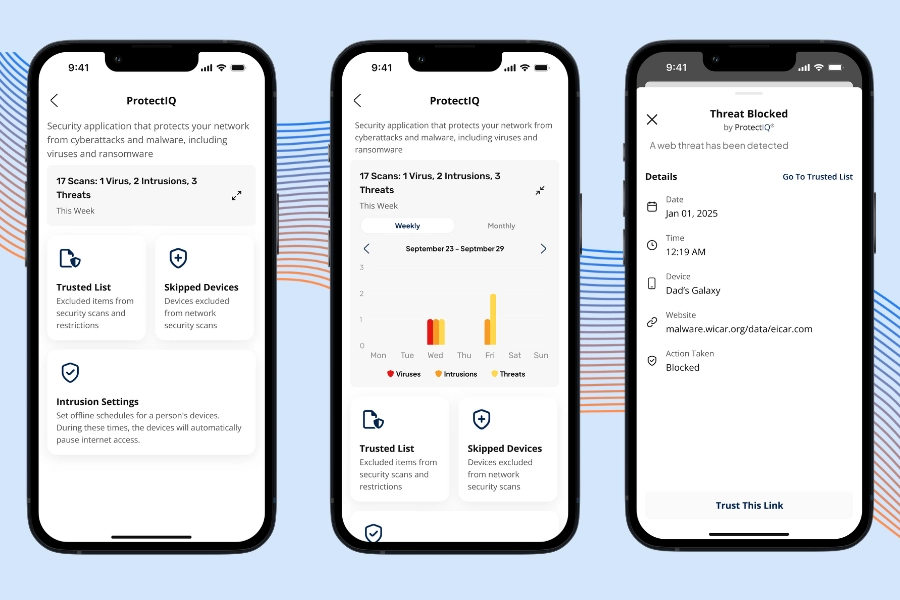
ProtectIQ® works quietly in the background. It monitors traffic coming into your home network, blocks activity that looks suspicious, and sends you alerts so you know what happened.
You do not have to watch your network all day. ProtectIQ® does the watching, and you can check in whenever you like.
Good to know
No tool can block every threat. Keep your devices and apps updated, and use strong, unique passwords. Think of ProtectIQ® as one layer of protection, not the only one.
7. Set Your Traffic Priorities
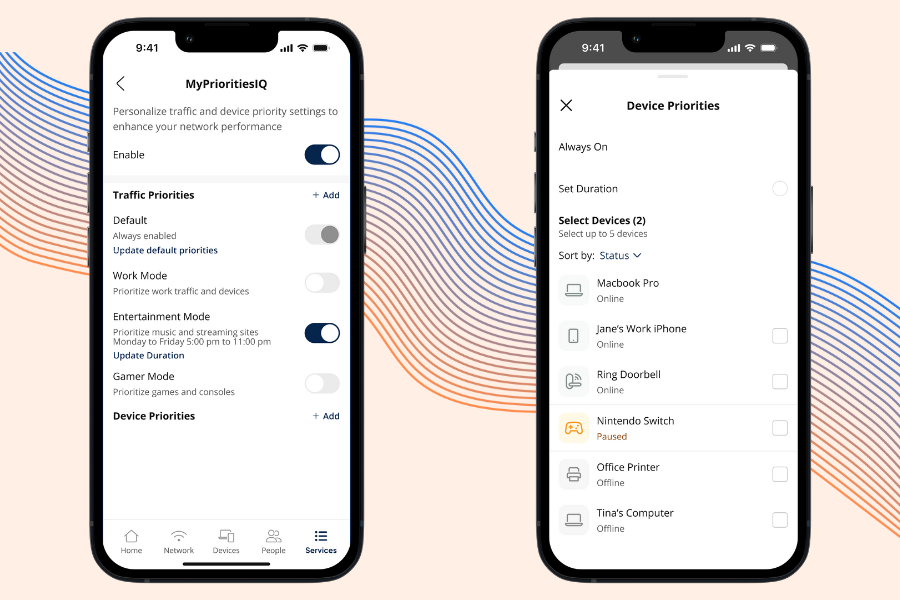
Sometimes the whole house is online at once: homework, video calls, games and streaming. The priority feature, also called Quality of Service (QoS), lets you choose which devices and activities get first access to your connection.
You might:
- Give your work laptop priority before an important video call
- Give your child’s laptop priority during online homework
- Let the game console go first on Friday night
Good to know
Priorities set the order, not the speed. Your results still depend on your internet plan and your home setup.
Final Thoughts
An internet connection used to be about one thing: getting you online. Families need more than that now. Kids learn, play and make friends on screens, and parents want to know they can do it safely. A provider’s job does not end when the connection is on. Helping families use the internet safely is part of the job.
Fiber internet gets your family online. What you can do once you are there matters just as much. Race CommandIQ® is built around that idea. You can see which devices are connected, pause the internet at dinner, set time limits, block content that does not fit your family, and get alerts about suspicious activity. All from your phone.
No app replaces talking with your kids. The right tools can make those conversations easier, and they give you more peace of mind in between.
Interested in Race Communications?
Find out if fast fiber internet is available at your address.
Check availability at race.comFrequently Asked Questions
What is Race CommandIQ®?
Race CommandIQ® is a mobile app for your home network. You can see what is connected, who is using it and how, then manage it with a few taps. It is built on two parts: ExperienceIQ for day-to-day controls such as profiles, device lists and parental controls, and ProtectIQ® for network security.
Can I see how much time my kids spend online?
Yes. In the app, you create a profile for each person in your home and assign their devices to it. You can then see which devices are online and roughly how much time each person spends online, plus which apps and types of sites they use most.
Can I pause the internet at dinner or bedtime?
Yes. With one tap, you can pause internet access for a device or a whole profile, and tap again when it is time to go back online. The U.S. Surgeon General’s advisory suggests families consider keeping mealtimes device-free, and restricting phones, tablets and computers for at least 1 hour before bedtime.
Can I set daily screen time limits?
Yes. You can set daily time limits for apps, schedule offline hours, and block internet access at set times, such as school hours or bedtime.
Can I block certain websites or apps?
Yes. You can block content by category, app or website, so you can choose what fits your family’s values and your child’s age. Blocking is one layer of protection. Talking with your kids is another. Let them know they can come to you if something online upsets them.
What is a guest network, and why would I use one?
A guest network is a separate Wi-Fi network for visitors, such as your kids’ friends. Your main Wi-Fi name and password stay private. A guest network does not replace keeping your devices updated.
What does ProtectIQ® do?
ProtectIQ® monitors traffic coming into your home network, blocks activity that looks suspicious and sends you alerts. No tool can block every threat, so keep your devices and apps updated and use strong, unique passwords.
What are traffic priorities (Quality of Service)?
Traffic priorities, also called Quality of Service (QoS), let you choose which devices and activities get first access to your connection, such as your work laptop before a video call. Priorities set the order, not the speed. Your results still depend on your internet plan and your home setup.
How much screen time is too much?
It depends on the child and on what screens take the place of. In 2026, the American Academy of Pediatrics (AAP) advised families to look beyond simple screen-time limits and think about quality, context and conversation. The U.S. Surgeon General’s advisory says more research is needed, and that kids are affected by social media in different ways. A good plan makes room for sleep, exercise, play, homework and family.
How do I find out if Race CommandIQ® is available at my address?
Availability depends on your address. Check availability at race.com to find out.